What Is an SEO Optimization Tool, and Why Do You Need One?
Posted by
 Stefan Winter
How to Choose and Use an SEO Optimization Tool That Actually Moves the Needle

If you have ever stared at your website analytics wondering why your traffic is flat despite publishing consistently, you are not alone. Most website owners hit this wall at some point, and the answer often comes down to one thing: they are working without the right SEO optimization tool in their corner. Choosing the right tool is not just about picking the most popular name in the industry. It is about finding a solution that fits your goals, your workflow, and the specific gaps holding your site back. This guide walks you through exactly how to evaluate, select, and use an SEO optimization tool to start seeing real, measurable results.
What Is an SEO Optimization Tool, and Why Do You Need One?
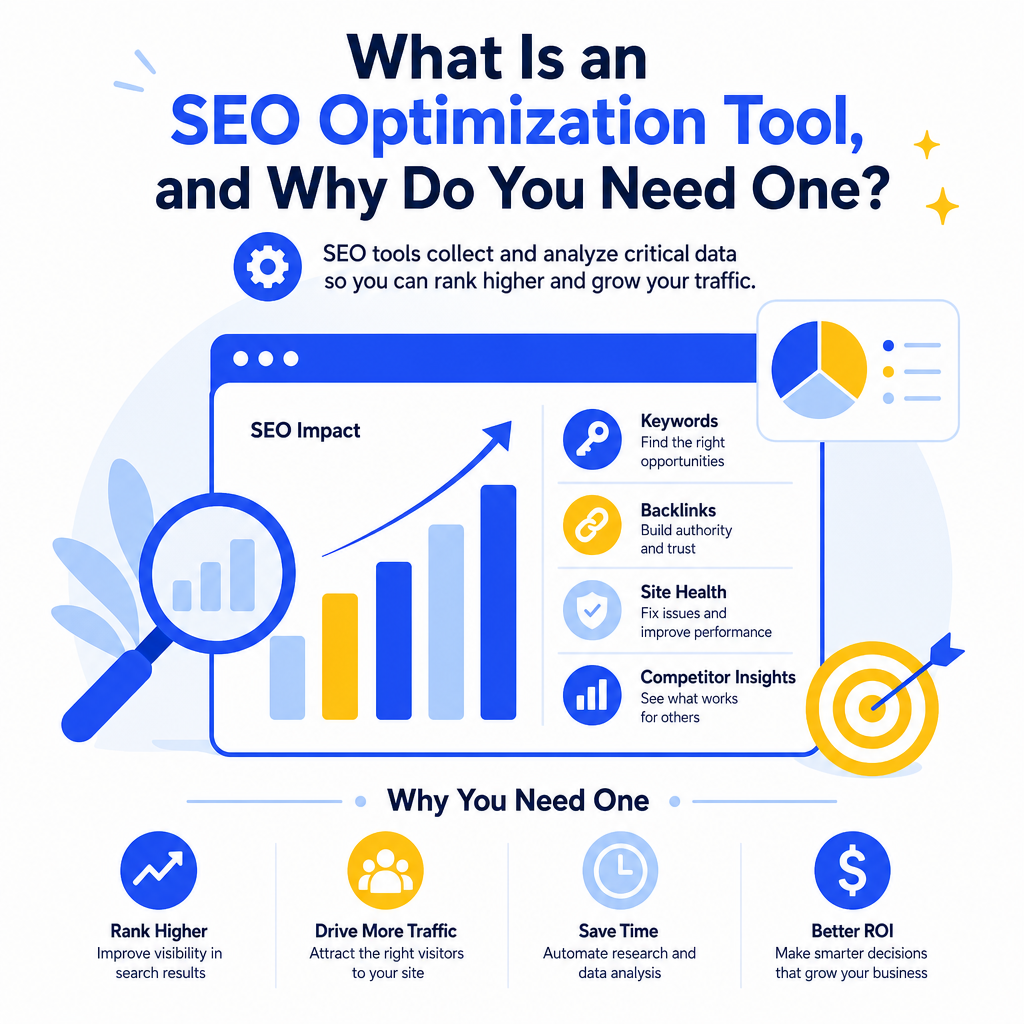
An SEO optimization tool is software designed to help website owners, marketers, and content creators improve their search engine rankings. These tools collect and analyze data that would take hours to gather manually, from keyword performance and backlink profiles to technical site health and competitor positioning.
The value is not just in the data itself. It is in what you do with it. A well-chosen SEO optimization tool turns raw numbers into actionable priorities. Instead of guessing why a page is not ranking, you get a clear picture of what needs to change, whether that is page speed, missing meta tags, thin content, or a lack of authoritative backlinks.
According to Moz's research on search engine ranking factors, on-page optimization and technical health remain among the most influential elements for organic performance. Without a dedicated tool to audit and track these factors, most websites leave significant ranking potential untapped.
Step 1: Define What You Actually Need From a Tool
Before you sign up for any free trial or subscription, spend time getting clear on your specific goals. This step saves you money and prevents the frustration of learning a tool that does not match your use case.
Ask yourself these questions:
- Are you focused primarily on content optimization, technical SEO, or link building?
- Do you manage one website or multiple sites?
- What is your current level of SEO knowledge (beginner, intermediate, advanced)?
- Do you need reporting features for clients or just personal use?
- What is your monthly budget for SEO tools?
Step 2: Understand the Core Features to Look For
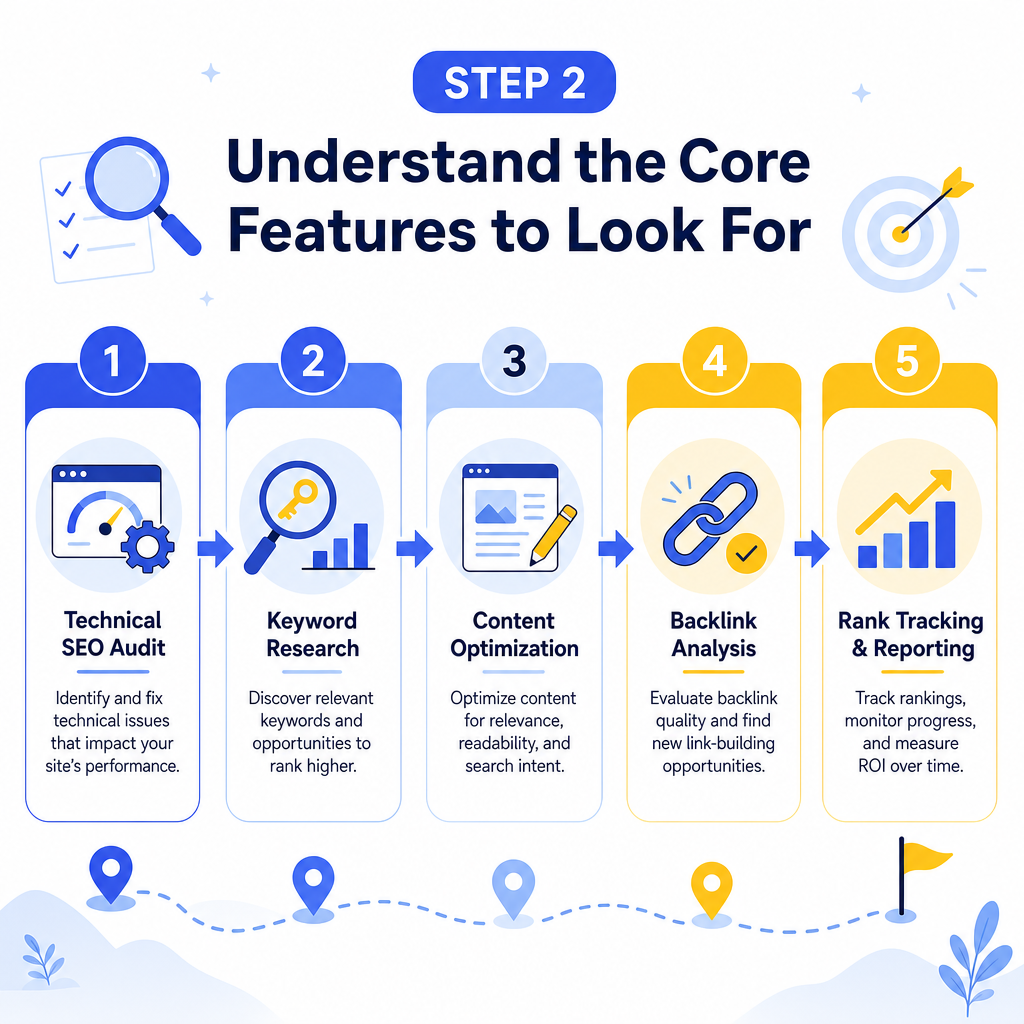
Not all SEO optimization tools are created equal. Some specialize in technical audits, others in keyword research, and some attempt to cover everything under one roof. Here is a breakdown of the core feature categories you should evaluate:
What Features Should an SEO Tool Include?
Keyword Research and Tracking The tool should help you find keywords worth targeting and track how your pages rank for those keywords over time. Look for search volume data, keyword difficulty scores, and trend data so you can prioritize terms with realistic ranking potential. Site Audit Capabilities A solid SEO optimization tool will crawl your website and flag technical issues like broken links, duplicate content, missing alt text, slow-loading pages, and crawlability errors. These issues quietly kill rankings, and most website owners never catch them without an automated audit. On-Page Optimization Guidance Some tools analyze individual pages and give you specific recommendations for improving title tags, meta descriptions, heading structure, and keyword usage. This is especially useful if you are working on improving your blog post structure for better SEO performance, since structure and on-page signals work together. Backlink Analysis Understanding who links to your site (and who links to your competitors) gives you a roadmap for building authority. Look for tools that show link quality, not just quantity. Competitor Research The best SEO optimization tools let you analyze competitor sites to see which keywords they rank for, where their traffic comes from, and what content performs best in your niche.Step 3: Compare the Leading SEO Optimization Tools
The market offers a wide range of options at different price points and complexity levels. Here is a comparison of some of the most widely used platforms to help you make an informed choice:
| Tool | Best For | Key Strength | Starting Price (2026) |
|---|---|---|---|
| Ahrefs | Backlink and competitor research | Largest backlink database | ~$129/month |
| SEMrush | All-in-one marketing suite | Keyword and content tools | ~$139/month |
| Moz Pro | Beginners and small businesses | User-friendly interface | ~$99/month |
| Screaming Frog | Technical SEO audits | Deep site crawl capabilities | ~$259/year |
| Ubersuggest | Budget-conscious users | Affordable keyword research | ~$29/month |
| Google Search Console | Monitoring search performance | Free, direct Google data | Free |
Step 4: Run Your First Site Audit
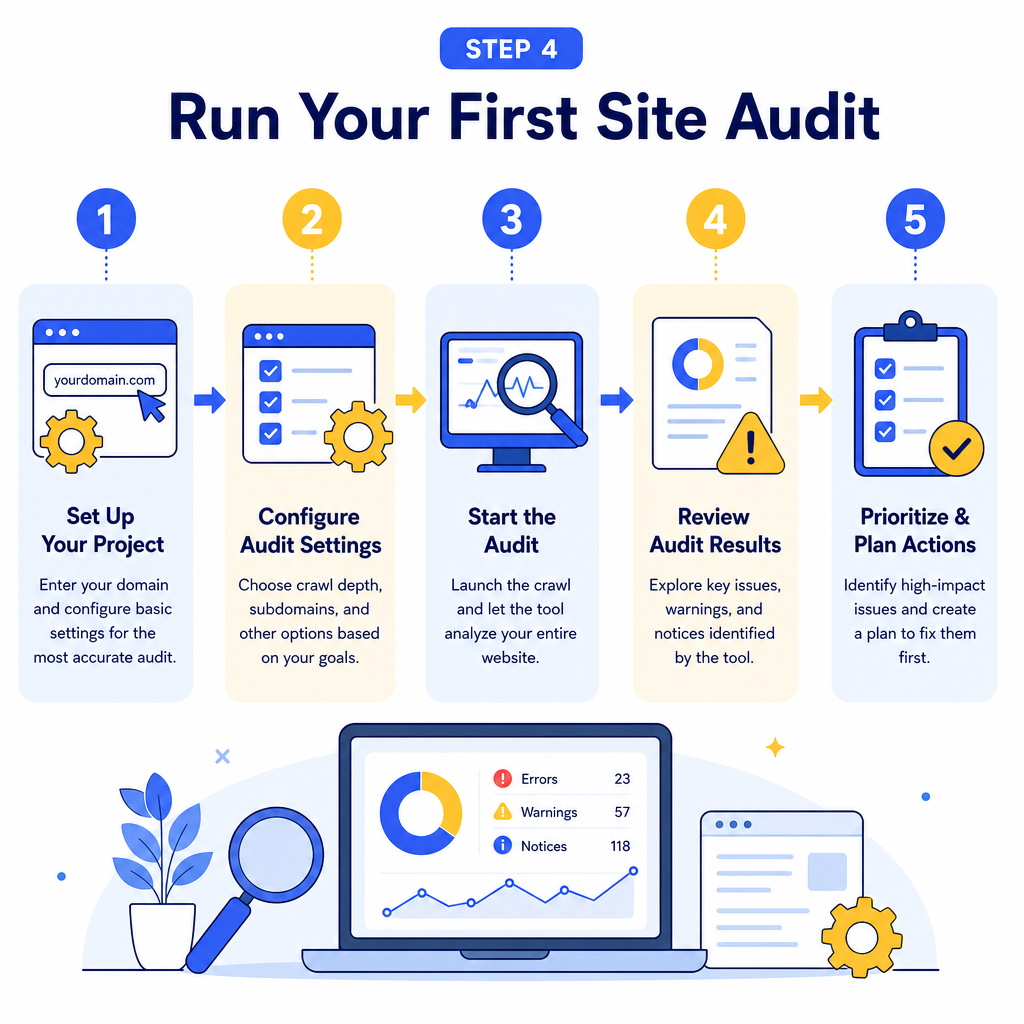
Once you have selected your tool, the first action item is running a comprehensive site audit. This gives you a baseline understanding of where your site stands before you start making changes.
Here is how to approach your first audit:
1. Set up your project by entering your domain and configuring the crawl settings. Most tools allow you to limit the crawl to specific sections or set a crawl rate that does not overload your server. 2. Review the priority issues first. Most tools categorize errors by severity. Start with critical errors like broken pages, missing canonical tags, or pages blocked from indexing. 3. Document your findings in a simple spreadsheet so you can track fixes over time. 4. Assign tasks based on impact. Fix issues that affect the most important pages first, typically your homepage, top landing pages, and highest-traffic blog posts. 5. Re-crawl after fixes to confirm that issues are resolved and no new ones have appeared.
Running audits on a monthly or quarterly schedule keeps your site technically healthy as it grows. This ongoing process is especially important if you are using content automation strategies to scale your publishing, since more content means more potential for technical issues to slip through.
Step 5: Use Keyword Data to Guide Your Content Strategy
How Do You Turn Keyword Data Into Content Decisions?
This is where many website owners stall. They gather keyword data but are not sure how to use it. Here is a straightforward process:
- Identify your target keywords by filtering for terms with moderate search volume and manageable difficulty scores.
- Group related keywords into topic clusters. Instead of writing one page for every keyword, build a main pillar page supported by several related articles.
- Check search intent for each keyword. A tool that shows the types of pages ranking (informational, commercial, transactional) tells you what kind of content Google wants to see for that query.
- Map keywords to existing pages before creating new content. You may already have pages that could rank better with minor optimization rather than starting from scratch.
Step 6: Track Progress and Adjust
An SEO optimization tool is only as useful as the habits you build around it. Checking data once and forgetting about it will not move rankings. Build a simple monthly review routine:
- Check keyword ranking changes for your target terms.
- Review organic traffic trends in Google Search Console.
- Look for new technical errors flagged by your site audit tool.
- Analyze which pages gained or lost traffic and investigate why.
- Monitor competitor rankings for keywords you are targeting.
Conclusion
Choosing the right SEO optimization tool is not about finding the flashiest platform with the most features. It is about finding the tool that fits your workflow, addresses your specific weaknesses, and gives you clear direction on where to focus your energy. Start by defining your goals, evaluate tools based on the core features that matter most to your situation, run a thorough site audit, and build a consistent review habit around the data you collect.
The website owners who see steady growth are not necessarily the ones with the biggest budgets. They are the ones who use their tools with intention and follow through on what the data tells them. If you are ready to stop guessing and start making informed decisions about your SEO, picking up the right optimization tool is the best place to begin.

Stefan Winter
Founder & SEO Expert
Founder of Fast SEO Fix and SEO automation expert. Stefan built Fast SEO Fix to solve the tedious problem of manual SEO work. He specializes in SEO optimized content generation, keyword research, and automated SEO strategies.
