What Is a Content Workflow, and Why Does It Matter?
Posted by
 Stefan Winter
How to Build a Content Workflow That Actually Gets Results

If your content team is constantly missing deadlines, publishing inconsistent work, or scrambling to figure out who does what next, the problem probably isn't talent. It's process. A well-designed content workflow gives every piece of content a clear path from idea to publication, and it keeps your entire operation running smoothly without the chaos. In this guide, you'll learn exactly how to build a content workflow that works for your team, your goals, and your audience.
What Is a Content Workflow, and Why Does It Matter?
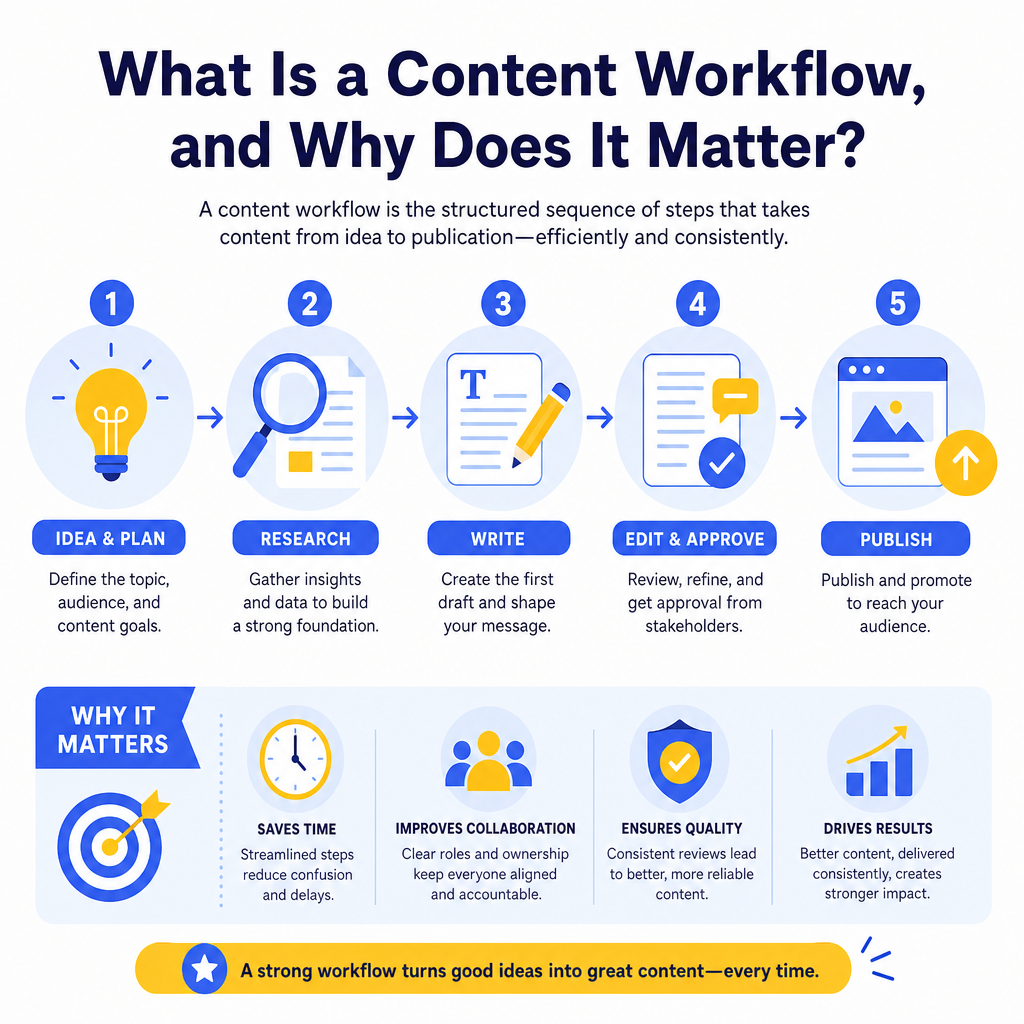
A content workflow is the structured sequence of steps that takes a piece of content from initial concept through research, writing, editing, approval, and final publication. Think of it as the assembly line for your content operation. Every team member knows their role, every task has a clear owner, and nothing falls through the cracks.
Without a defined workflow, content production becomes reactive and disorganized. Writers don't know when to start, editors don't know when to review, and stakeholders don't know when to expect results. This leads to bottlenecks, duplicated effort, and content that goes live without proper optimization or review.
According to the Content Marketing Institute's annual research on content marketing strategy, organizations with a documented content strategy and workflow consistently outperform those without one in terms of both output volume and content quality. The data is clear: process drives performance.
How Do You Know If You Need a Better Content Workflow?
Before building or rebuilding your workflow, it helps to diagnose where your current process is breaking down. Ask yourself these questions:
- Are deadlines regularly missed without a clear reason?
- Do pieces of content get stuck waiting on one person for days at a time?
- Is your published content inconsistent in tone, quality, or formatting?
- Do team members frequently ask each other, "Where are we on this?"
- Are SEO elements like meta descriptions or internal links added as an afterthought?
Step 1: Map Out Every Stage of Your Content Production
The first step is to document every single stage your content goes through before it goes live. Most content workflows include the following core stages:
1. Ideation and topic research (keyword research, audience analysis, competitive review) 2. Content brief creation (outline, target keywords, audience intent, word count) 3. Writing or content creation (drafting the piece based on the brief) 4. Internal review and editing (grammar, clarity, factual accuracy) 5. SEO optimization (keyword placement, metadata, internal linking) 6. Stakeholder approval (sign-off from managers, legal, or subject matter experts) 7. Formatting and publishing (uploading to CMS, adding images, scheduling) 8. Post-publication review (performance tracking, updates, repurposing)
Write these stages down in order. This simple act of documentation creates a shared understanding across your team and eliminates ambiguity about what comes next. If you're using a content planning tool to manage your editorial calendar, you can often map these stages directly into your project management system.
Step 2: Assign Clear Ownership to Each Stage

A workflow without owners is just a wish list. Once you've mapped your stages, assign a specific person or role to each one. Use a simple responsibility matrix to make this visual and easy to reference.
| Workflow Stage | Owner | Deadline Trigger | Output |
|---|---|---|---|
| Topic ideation | Content strategist | Monthly planning meeting | Approved topic list |
| Content brief | SEO lead | 7 days before writing starts | Completed brief document |
| Writing | Content writer | 5 days after brief delivery | First draft |
| Editing | Editor | 2 days after draft submission | Revised draft |
| SEO review | SEO specialist | 1 day after editing | Optimized draft |
| Approval | Content manager | 1 day after SEO review | Final approval |
| Publishing | Web team | On scheduled publish date | Live content |
Step 3: Create Standardized Templates and Briefs
One of the fastest ways to speed up your content workflow is to standardize the inputs. A content brief template ensures that every writer starts from the same foundation, which reduces revision cycles and improves consistency across your entire content library.
Your content brief should include:
- The primary target keyword and related secondary keywords
- The intended audience and their specific pain points
- The content format (how-to guide, listicle, case study, etc.)
- A suggested outline or key points to cover
- Internal and external linking suggestions
- The target word count and publication deadline
- Any brand voice or style guidelines to follow
Step 4: Choose the Right Tools to Support Your Workflow
Your workflow is only as effective as the tools supporting it. The right technology stack keeps tasks moving, provides visibility into progress, and reduces the amount of manual follow-up required.
What Tools Should You Use for a Content Workflow?
Here are the most common categories of tools that support a strong content workflow:
- Project management platforms (Asana, Trello, Monday.com, ClickUp) for task assignment and deadline tracking
- Document collaboration tools (Google Docs, Notion) for drafting and editing in a shared environment
- SEO research tools (Ahrefs, Semrush, Google Search Console) for keyword research and performance monitoring
- Content management systems (WordPress, Webflow, HubSpot) for publishing and scheduling
- Communication tools (Slack, Microsoft Teams) for quick updates and approvals
Step 5: Build in Quality Checkpoints
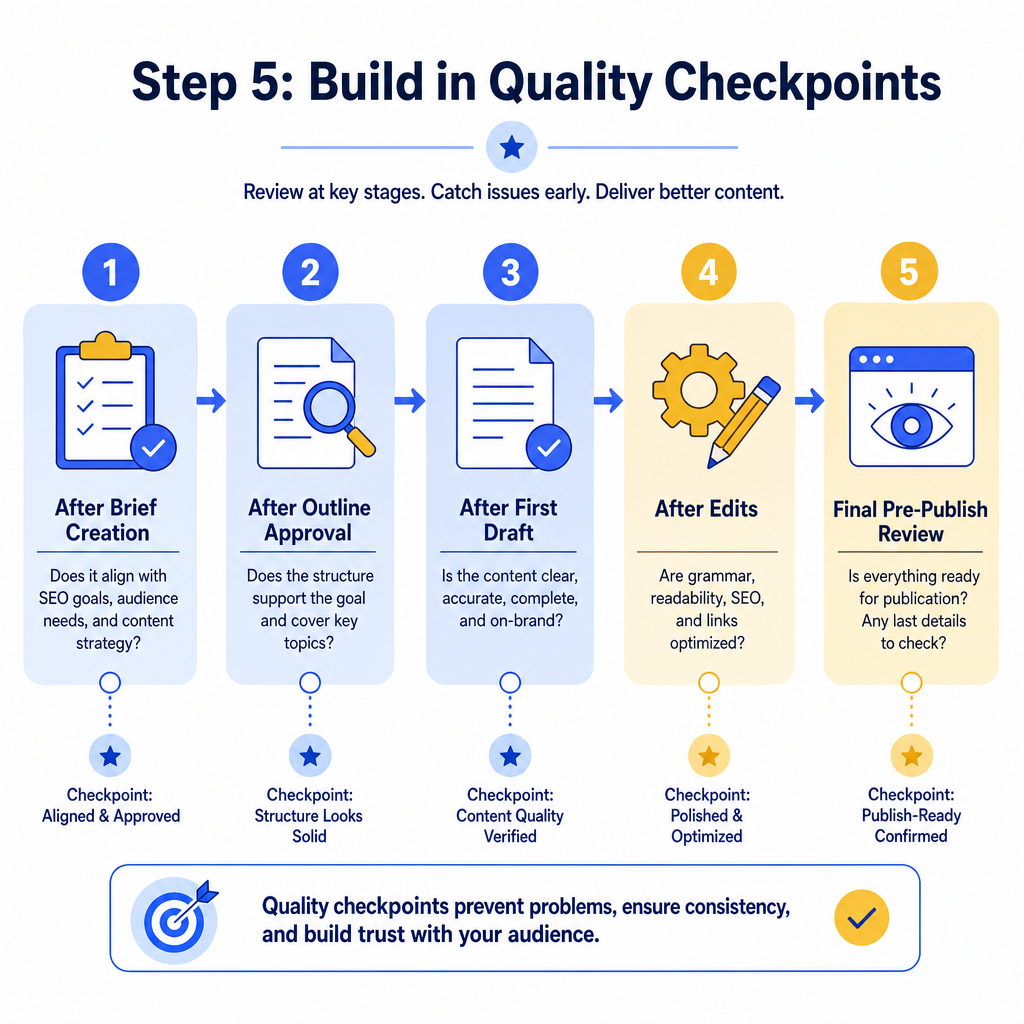
A great content workflow doesn't just move content forward quickly. It catches problems before they reach the reader. Quality checkpoints are review moments built into your workflow at key stages.
Consider adding checkpoints at these moments:
- After the brief is created (does it align with SEO goals and audience intent?)
- After the first draft is submitted (does the content follow the brief?)
- After editing (is the content factually accurate and on-brand?)
- After SEO optimization (are keywords placed naturally, and are meta elements complete?)
- Before publishing (is the formatting correct, and are all links working?)
Step 6: Automate Repetitive Tasks Where Possible
Manual handoffs are one of the biggest sources of delay in any content workflow. When a writer finishes a draft, they shouldn't have to send an email and wait for someone to notice. Automation can handle that notification instantly.
Most project management tools allow you to set up automatic task transitions. When a writer marks a draft as complete, the editor's task is automatically triggered and they receive a notification. This kind of automation eliminates the gaps between stages and keeps content moving without manual intervention.
For teams producing content at scale, exploring SEO content automation options can further reduce the manual effort involved in keyword research, metadata generation, and performance reporting. Automation doesn't replace human judgment. It removes the repetitive tasks that slow human judgment down.
Step 7: Review and Refine Your Workflow Regularly
A content workflow is not a set-it-and-forget-it system. Your team grows, your content goals evolve, and your tools change. Your workflow should evolve with them.
Schedule a quarterly workflow review where you ask:
- Where are we consistently missing deadlines?
- Which stages take longer than expected?
- Are there approval bottlenecks we can reduce?
- Has any team member's role changed in a way that affects ownership?
- Are our templates and briefs still aligned with current SEO best practices?
Conclusion
Building a strong content workflow is one of the highest-leverage investments your content team can make. It reduces stress, improves quality, speeds up production, and ensures that every piece of content you publish is intentional and optimized. Start by mapping your current stages, assign clear ownership, standardize your briefs, choose the right tools, and build in quality checkpoints. Then automate what you can and review the system regularly.
If your content operation feels chaotic right now, know that the fix is closer than you think. A clear workflow doesn't just make your team more productive. It makes your content better, and that's what ultimately drives results in search and beyond. Start with one stage, document it, and build from there.

Stefan Winter
Founder & SEO Expert
Founder of Fast SEO Fix and SEO automation expert. Stefan built Fast SEO Fix to solve the tedious problem of manual SEO work. He specializes in SEO optimized content generation, keyword research, and automated SEO strategies.
