The Complete Guide to Choosing and Using a Content Planning Tool in 2026
Posted by
 Stefan Winter
TL;DR
A content planning tool is essential software that centralizes your team's content creation process, from ideation through publication, helping you save 30-50% of planning time while maintaining consistency across channels. The right tool depends on your team size and needs, with options ranging from dedicated content platforms to general project management tools, each offering different strengths for organizing, collaborating, and tracking content performance.
The Complete Guide to Choosing and Using a Content Planning Tool in 2026
If you have ever stared at a blank editorial calendar wondering how your competitors consistently publish high-quality content week after week, the answer likely comes down to one thing: a reliable content planning tool. Whether you are a solo blogger, a marketing manager at a mid-sized company, or part of a large enterprise content team, having the right system in place can be the difference between chaotic publishing and a smooth, strategic content operation. This guide walks you through everything you need to know about content planning tools, from understanding what they do to choosing the best one for your specific needs in 2026.
What Is a Content Planning Tool?
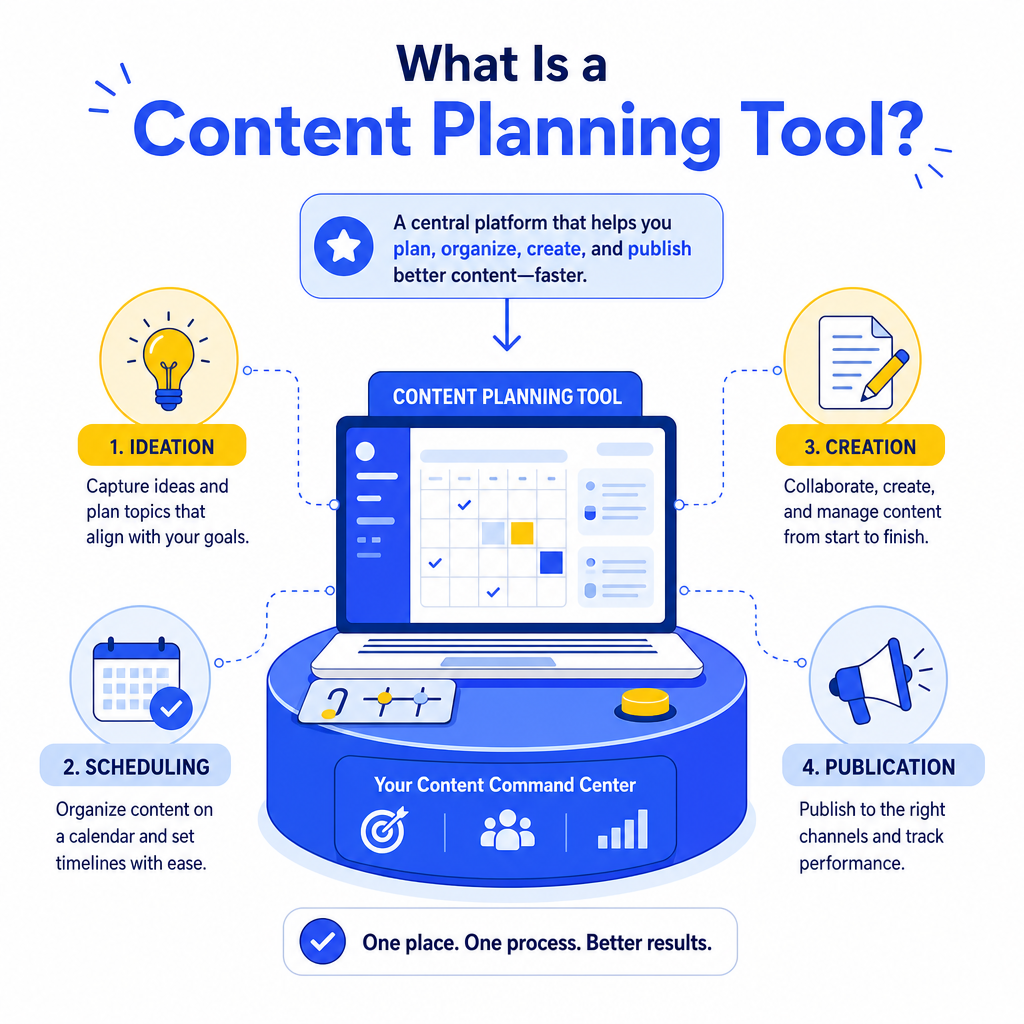
A content planning tool is any software, platform, or application designed to help individuals and teams organize, schedule, and manage their content creation process from ideation to publication. Think of it as the command center for your entire content strategy. Instead of juggling spreadsheets, sticky notes, and disconnected messaging threads, a content planning tool brings everything into one centralized workspace.
These tools typically cover several stages of the content lifecycle. They help you brainstorm and capture ideas, assign tasks to writers or designers, set deadlines, track progress, and sometimes even publish content directly to your website or social media channels. Some tools are built specifically for content teams, while others are general project management platforms that content teams have adapted for their workflows.
The core value of a content planning tool is visibility. When everyone on your team can see what content is in progress, what is scheduled, and what has already been published, there is far less confusion and far more accountability.
Why Does Your Team Need a Content Planning Tool in 2026?
The content landscape has changed dramatically. Audiences expect consistent, relevant, and high-quality content across multiple channels simultaneously. Managing a blog, a social media presence, a newsletter, and a video channel without a structured system is nearly impossible for most teams. A content planning tool solves this by giving you a single source of truth.
Beyond organization, these tools support strategic thinking. When you can visualize your content calendar weeks or months in advance, you can spot gaps, avoid redundancy, and align your content with upcoming campaigns, product launches, or seasonal trends. This kind of proactive planning is what separates brands that lead their industries from those that are always playing catch-up.
There is also a significant time-saving benefit. Studies and industry reports from 2026 consistently show that teams using dedicated content planning tools reduce their planning time by 30 to 50 percent compared to teams relying on manual methods. That time gets redirected into the creative work that actually moves the needle.
Key Features to Look for in a Content Planning Tool
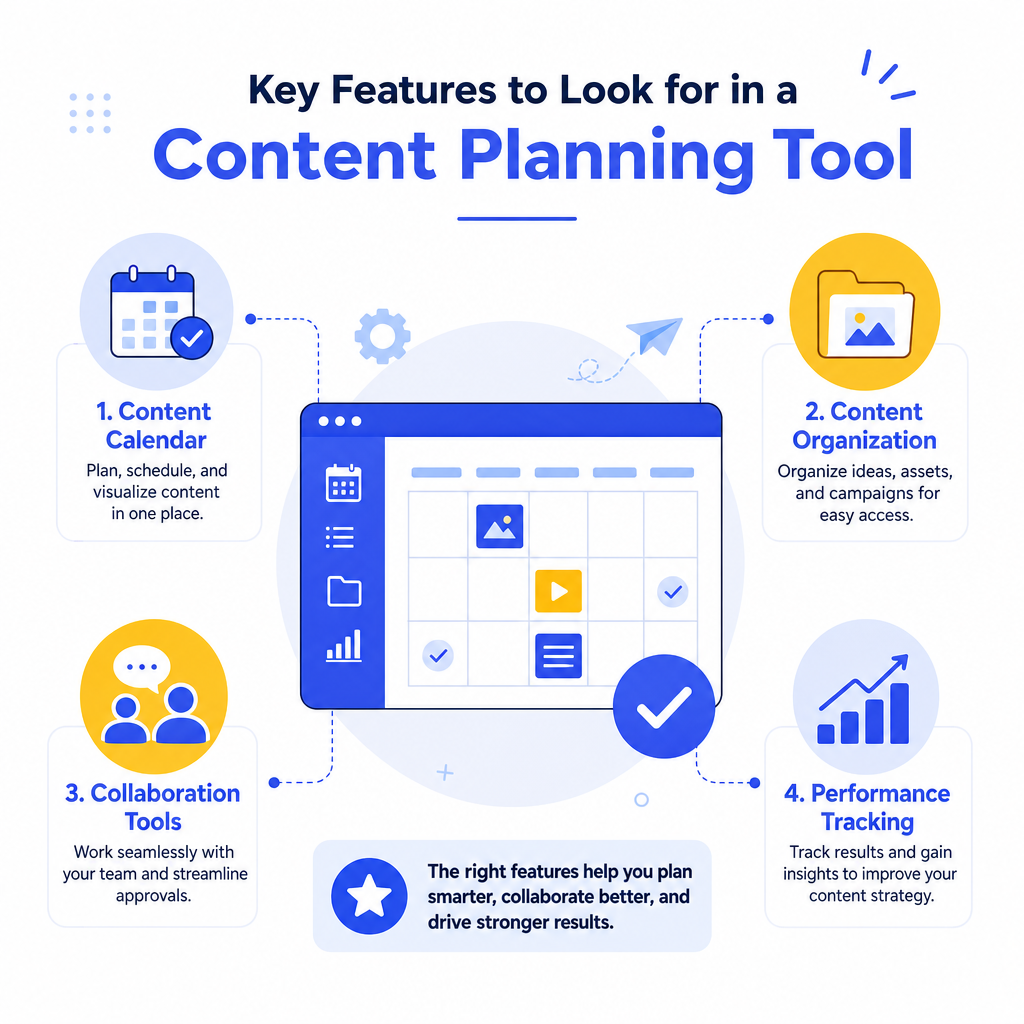
What Features Make a Content Planning Tool Worth Using?
Not all content planning tools are created equal. When evaluating your options, focus on features that genuinely solve problems your team faces rather than flashy extras you will never use.
Here are the core features to prioritize:
- Editorial calendar view: A visual calendar that shows all scheduled content at a glance, ideally with filtering options by channel, content type, or team member.
- Task management: The ability to assign tasks, set deadlines, and track the status of each piece of content through stages like drafting, editing, and approval.
- Collaboration features: Real-time commenting, tagging teammates, and version history so your team can work together without confusion.
- Content brief templates: Pre-built templates that standardize how content briefs are created, saving time and ensuring consistency.
- Integration capabilities: Connections with tools your team already uses, such as Google Docs, WordPress, Slack, HubSpot, or social media schedulers.
- Analytics and reporting: Insights into content performance so you can make data-informed decisions about future planning.
- Workflow automation: The ability to automatically move content through stages or send notifications when a task is ready for review.
How Do Different Content Planning Tools Compare?
The market in 2026 offers a wide range of options. Some tools are purpose-built for content teams, while others are broader project management platforms. Here is a quick comparison to help you understand the landscape:
| Tool Type | Best For | Key Strengths | Potential Limitations |
|---|---|---|---|
| Dedicated content platforms | Content-heavy teams and agencies | Deep editorial features, built-in calendars | Can be overkill for small teams |
| General project management tools | Teams with varied workflows | Flexible, integrates with many apps | Requires customization for content use |
| Social media schedulers | Social-first content teams | Direct publishing, analytics | Limited support for long-form content |
| All-in-one marketing suites | Enterprise marketing teams | Unified data, CRM integration | Higher cost, steeper learning curve |
| Lightweight planning apps | Freelancers and solo creators | Simple, affordable, easy to use | Limited collaboration features |
How to Set Up a Content Planning Tool for Success
How Do You Get Started with a New Content Planning Tool?
Getting a content planning tool up and running is not just about signing up and adding tasks. The setup phase is critical to long-term adoption and success. Follow these steps to give your team the best possible foundation:
1. Audit your current process. Before importing anything into a new tool, document how your content currently moves from idea to publication. Identify bottlenecks and pain points. 2. Define your content types. Decide what categories of content you produce (blog posts, videos, emails, social posts) and create corresponding workflows for each. 3. Build your editorial calendar structure. Set up your calendar with the publishing frequency and channels that reflect your actual strategy. 4. Create standardized templates. Build content brief templates that capture the information writers and designers need before they start working. 5. Onboard your team properly. Schedule a training session and document your internal processes so everyone uses the tool consistently. 6. Set a review cadence. Plan a weekly or bi-weekly check-in to review the calendar, update statuses, and address any blockers.
The biggest mistake teams make is rushing the setup phase. Taking two or three hours to configure the tool properly at the start will save you dozens of hours of confusion later.
Common Mistakes to Avoid When Using a Content Planning Tool
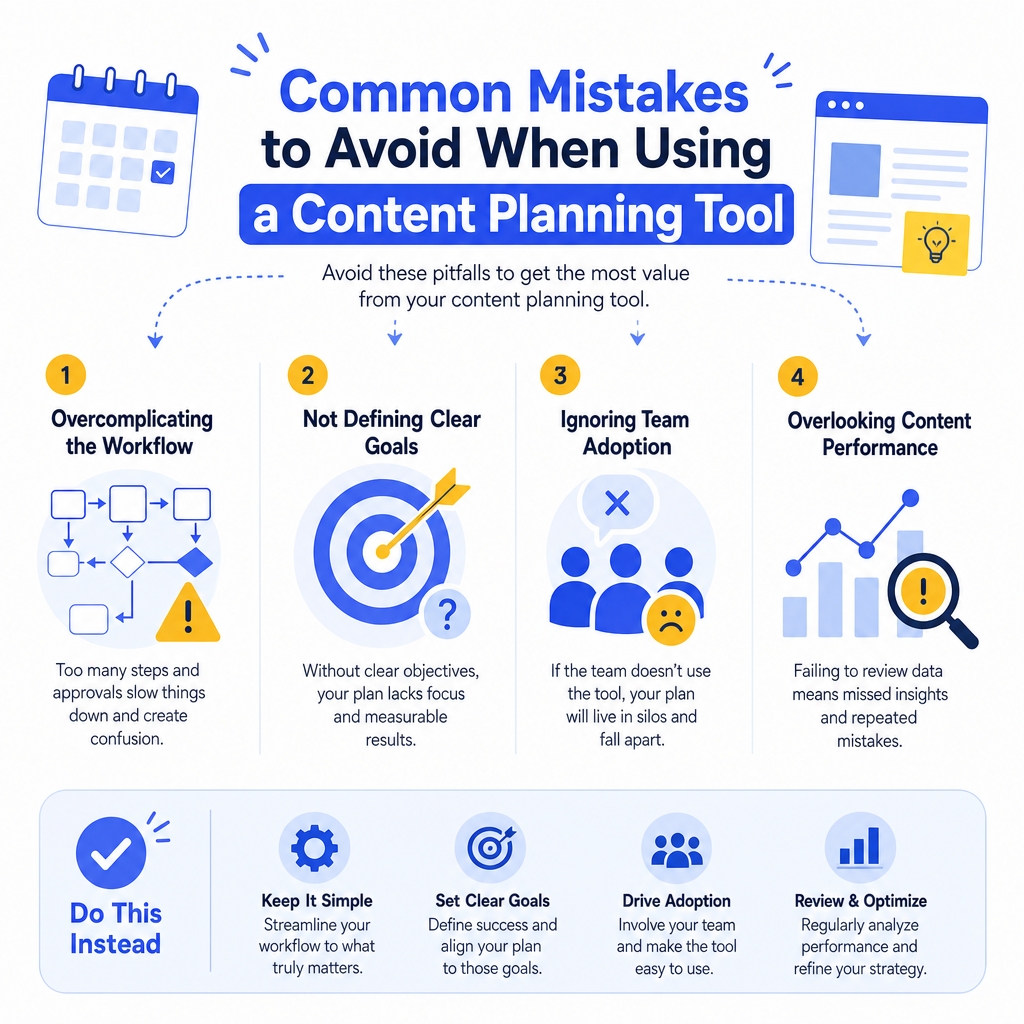
Even with a great tool in place, teams often fall into predictable traps. Being aware of these pitfalls can help you avoid them entirely.
Overcomplicating the workflow. It is tempting to build elaborate multi-stage workflows with many approval steps. In practice, overly complex systems lead to bottlenecks and frustration. Start simple and add complexity only when you genuinely need it. Failing to update the tool consistently. A content planning tool is only useful if the information inside it is accurate and current. If team members stop updating task statuses or move work outside the tool, the calendar becomes unreliable. Consistency is non-negotiable. Ignoring the analytics. Many teams use their content planning tool purely for scheduling and miss the strategic value of the performance data available to them. Reviewing what content performs well should directly inform what you plan next. Choosing the wrong tool for your team size. A tool that is too complex for a small team creates unnecessary overhead. A tool that is too simple for a large team creates gaps. Matching the tool to your actual needs is essential.How to Evaluate Whether Your Content Planning Tool Is Working
What Does Success Look Like with a Content Planning Tool?
After you have been using a content planning tool for 60 to 90 days, it is worth stepping back and evaluating whether it is delivering real value. Ask yourself and your team these questions:
- Has our publishing consistency improved since we started using the tool?
- Are deadlines being met more reliably than before?
- Do team members feel less stressed about content coordination?
- Is there less back-and-forth communication about content status?
- Are we producing content that aligns more closely with our strategic goals?
Conclusion
A well-chosen content planning tool is one of the most valuable investments a content team can make. It brings order to a naturally complex process, supports collaboration, and gives leadership the visibility they need to make smart strategic decisions. The key is to approach the selection process thoughtfully, prioritize features that solve your actual problems, and invest time in setting the tool up correctly from the start.
As content demands continue to grow in 2026 and beyond, teams that operate with a structured planning system will consistently outperform those that rely on improvisation. Whether you are just getting started or looking to upgrade your current setup, now is the perfect time to find the content planning tool that fits your workflow and start building the consistent, strategic content operation your audience deserves.
Ready to take the next step? Start by auditing your current content process, identifying your biggest pain points, and testing two or three tools that match your team size and goals. Most platforms offer free trials, so you can find the right fit before making a long-term commitment.
Frequently Asked Questions
A content planning tool is software that centralizes content management by helping teams organize, schedule, and manage content creation from ideation to publication. It serves as a command center where teams can brainstorm ideas, assign tasks, set deadlines, track progress, and sometimes publish directly to websites or social media.
Studies from 2026 show that teams using dedicated content planning tools reduce their planning time by 30 to 50 percent compared to teams relying on manual methods like spreadsheets and sticky notes. This freed-up time can be redirected toward creative work that drives better results.
Key features include an editorial calendar view, task management and deadline tracking, real-time collaboration features, content brief templates, integrations with existing tools, analytics and reporting, and workflow automation. Prioritize features that solve actual problems your team faces rather than unnecessary extras.
Dedicated content platforms work best for content-heavy teams and agencies with deep editorial needs, while general project management tools suit teams with varied workflows that need flexibility. Your choice depends on your team size, budget, and whether you need content-specific features or broader project management capabilities.
Start by auditing your current processes, define your content workflow stages, set up templates and standards, and involve your team in the setup phase. Proper implementation during the initial setup is critical for long-term adoption and ensuring your team actually uses the tool effectively.

Stefan Winter
Founder & SEO Expert
Founder of Fast SEO Fix and SEO automation expert. Stefan built Fast SEO Fix to solve the tedious problem of manual SEO work. He specializes in SEO optimized content generation, keyword research, and automated SEO strategies.
