What Does It Mean to Automate SEO Content Creation?
Posted by
 Stefan Winter
How to Automate SEO Content Creation Without Losing Quality

If you are spending hours every week researching keywords, drafting blog posts, and optimizing each piece of content manually, you already know how unsustainable that workflow becomes. The good news is that automating SEO content creation does not mean sacrificing quality or sounding robotic. When done correctly, it means building a smarter system that handles the repetitive work while you focus on strategy, creativity, and growth.
This guide walks you through the exact steps to automate SEO content creation in a way that scales your website traffic, saves significant time, and keeps your content genuinely useful to real readers.
What Does It Mean to Automate SEO Content Creation?
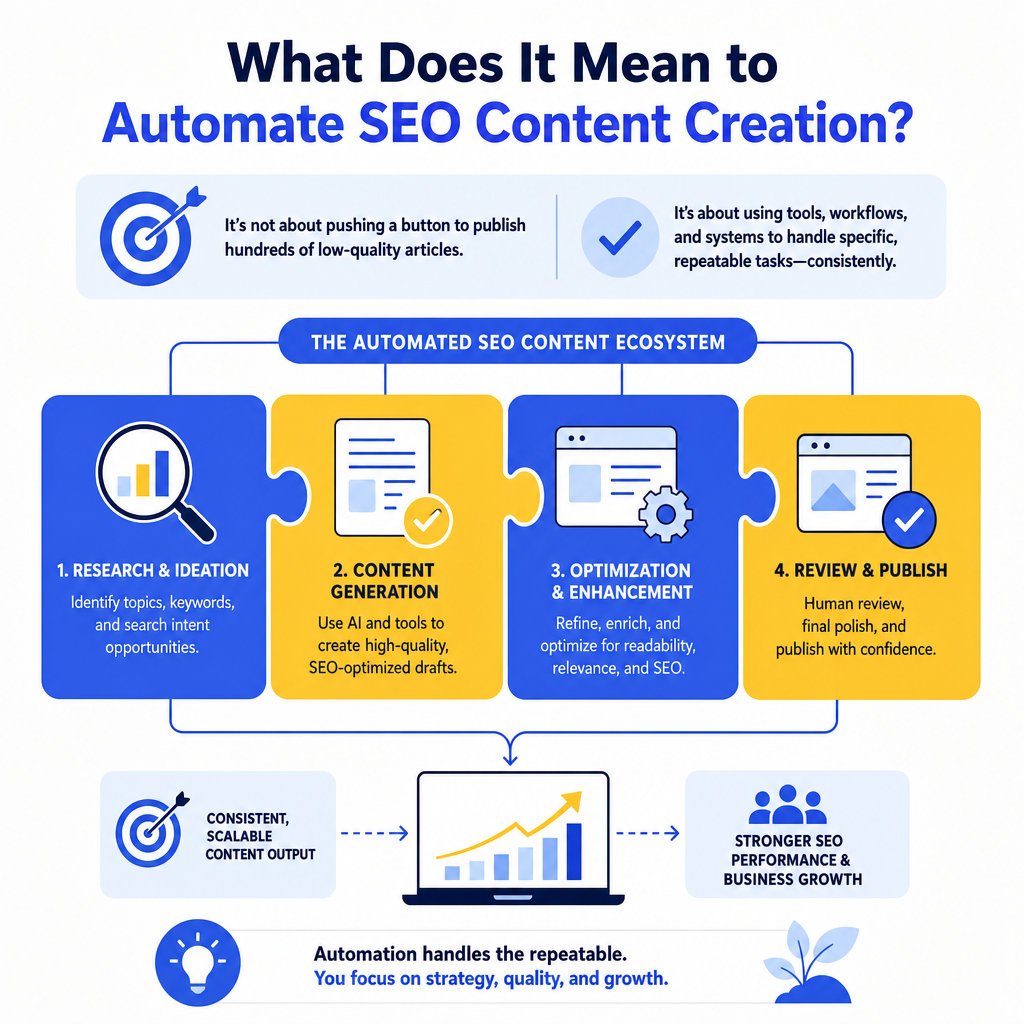
Before diving into the how-to steps, it is worth clarifying what automation actually means in this context. Automating SEO content creation is not about pressing a button and publishing hundreds of low-quality articles. It is about using tools, workflows, and systems to handle specific, repeatable tasks in the content production process.
Those tasks might include keyword research, content brief generation, first-draft writing, on-page optimization checks, internal linking suggestions, and even publishing schedules. Each of these can be partially or fully automated without removing human judgment from the final output. For a deeper look at the concept, our guide on what it actually means to automate SEO content breaks down the philosophy behind it.
The result is a content operation that produces consistent, search-optimized material at a pace no manual process can match.
Step 1: Build Your Keyword Research Workflow First
Every piece of SEO content starts with keyword research, and this is one of the easiest parts of the process to systematize. Rather than starting from scratch each time, set up a repeatable research workflow that pulls data automatically.
Here is how to build that workflow:
- Use a keyword research tool such as Ahrefs, Semrush, or Google Search Console to pull keyword clusters around your core topics.
- Set up automated reports or alerts so new keyword opportunities surface in your inbox weekly.
- Create a keyword bank or spreadsheet template where all researched terms are categorized by search intent, volume, and difficulty.
- Tag each keyword with a content type (blog post, landing page, FAQ, listicle) so your system knows what format to use.
Step 2: Create Standardized Content Briefs at Scale
Once you have your keywords, the next bottleneck is usually the content brief. Writing a detailed brief for every post is time-consuming, but briefs are essential for maintaining quality and consistency, especially if you work with writers or use AI tools to generate drafts.
The fix is to create a brief template that can be populated automatically or semi-automatically using your keyword data.
Your content brief template should include:
- Primary keyword and secondary keywords
- Target word count based on competitor analysis
- Recommended H2 and H3 headings
- Search intent summary (informational, transactional, navigational)
- Internal linking opportunities
- Tone and audience notes
- Competitor URLs to reference for depth
Step 3: Use AI Writing Tools to Generate First Drafts
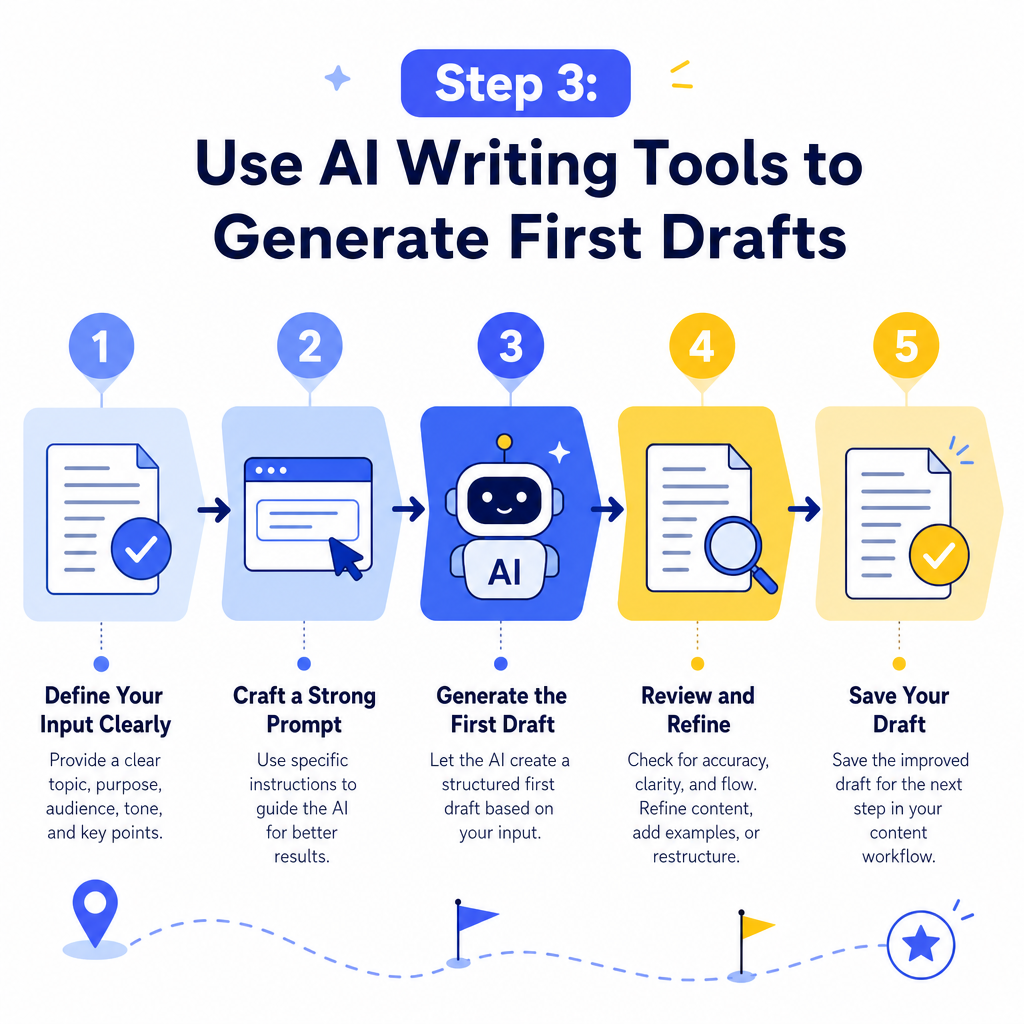
This is where most people either go wrong or get it exactly right. AI writing tools are powerful for generating structured first drafts, but they require clear input to produce usable output.
How Should You Prompt AI for SEO Content?
The quality of your AI-generated draft depends entirely on the quality of your prompt. Weak prompts produce generic content. Detailed prompts that include your keyword, target audience, content structure, tone, and specific points to cover produce drafts that are genuinely useful as a starting point.
A strong prompt structure looks like this:
1. State the primary keyword and the search intent behind it. 2. Specify the audience and their level of familiarity with the topic. 3. Provide the heading structure from your content brief. 4. Include any specific data points, examples, or angles you want covered. 5. Define the tone (professional, conversational, authoritative, etc.).
After generating the draft, a human editor should review it for accuracy, brand voice, and depth. The AI handles the structure and volume. You handle the judgment and nuance. This combination is what separates effective automation from content spam.
Step 4: Automate On-Page SEO Optimization
Writing the draft is only part of the job. On-page SEO optimization, including meta titles, meta descriptions, image alt text, heading structure, and keyword placement, is another area that can be largely automated.
Tools like Yoast SEO, Rank Math, or Surfer SEO integrate directly into your content management system and provide real-time optimization suggestions as content is written or uploaded. Some platforms even auto-generate meta descriptions and suggest internal links based on your existing content library.
If your site runs on WordPress, you can take this further with automation plugins that handle publishing schedules, category assignments, and even social sharing. Our detailed breakdown of WordPress automation for content workflows covers exactly how to set that up.
Here is a quick comparison of common on-page automation tools:
| Tool | Best For | Automation Features | Pricing Tier |
|---|---|---|---|
| Yoast SEO | WordPress users | Meta tags, readability checks | Free and Premium |
| Rank Math | WordPress power users | Schema, keyword tracking | Free and Pro |
| Surfer SEO | Content optimization | NLP scoring, brief generation | Paid plans |
| Frase | Brief and draft creation | SERP analysis, AI drafts | Paid plans |
| Clearscope | Enterprise content teams | Keyword grading, reporting | Premium |
Step 5: Set Up an Automated Internal Linking System
Internal linking is one of the most overlooked parts of SEO, largely because doing it manually across a growing content library becomes overwhelming. Automation can handle a significant portion of this work.
Plugins like Link Whisper (for WordPress) scan your content and suggest relevant internal links based on keyword matching. You can also build a simple internal linking spreadsheet that maps your most important pages to related posts, then use that as a reference during the editing phase.
According to Google's official Search documentation, internal links help Google understand the structure and hierarchy of your site. Automating this process ensures every new post you publish connects to your existing content network, which strengthens your overall site authority over time.
Understanding which posts deserve the most internal links also ties into understanding your SEO optimization tools and how they surface your highest-priority pages.
Step 6: Build a Content Publishing and Distribution Pipeline
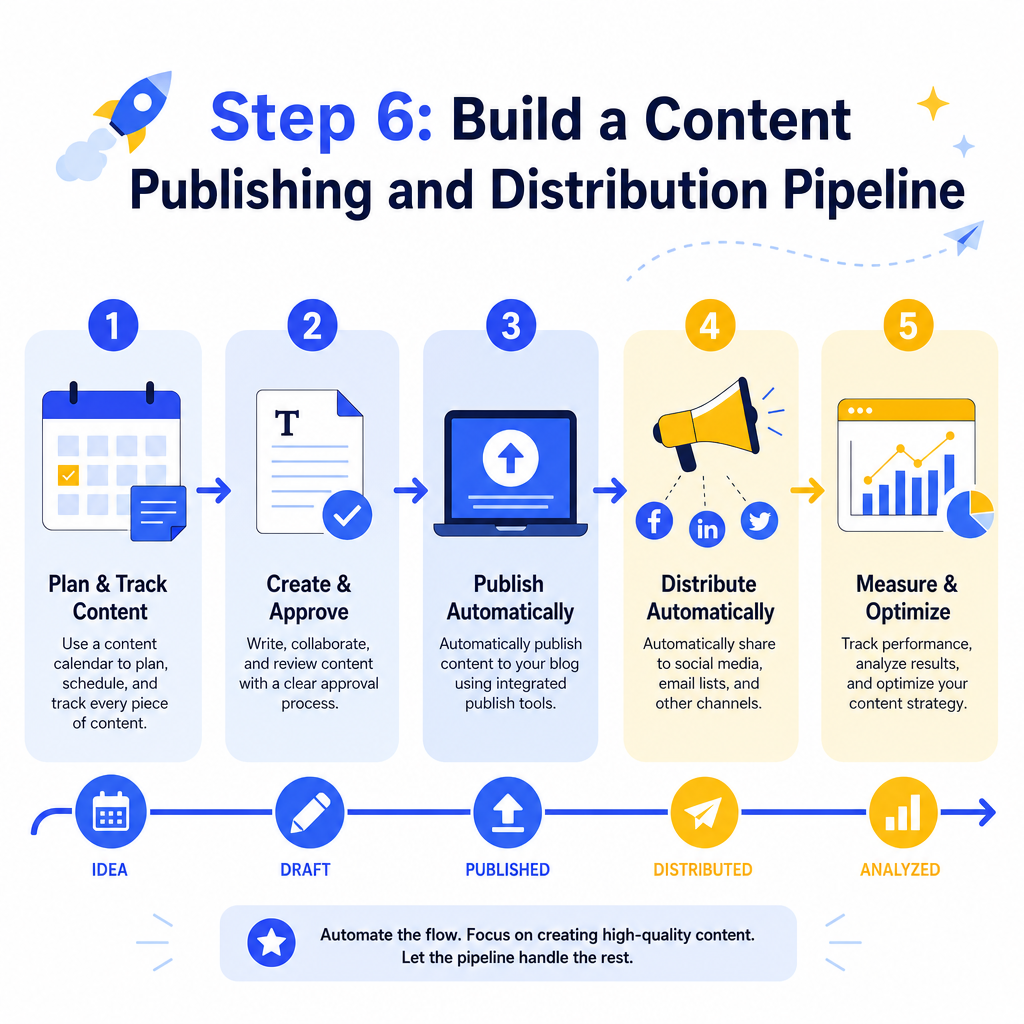
The final step is automating how content moves from draft to published to distributed. This is where your workflow becomes truly hands-off for the repetitive parts.
A basic automated publishing pipeline includes:
- A content calendar tool (such as Trello, Notion, or Airtable) that tracks each piece of content through its stages.
- Scheduled publishing inside your CMS so posts go live at optimal times without manual intervention.
- Automated social media sharing through tools like Buffer or Hootsuite that trigger when a post is published.
- Email newsletter integration that automatically pulls new blog posts into your subscriber emails.
How Do You Maintain Quality When You Automate SEO Content Creation?
This is the question most professionals ask, and it is the right one. The answer is that automation should never fully replace human review. Instead, build quality checkpoints into your automated workflow.
Effective quality control in an automated content system includes:
- A human editor reviewing every AI-generated draft before publishing.
- A checklist that verifies factual accuracy, brand voice consistency, and keyword placement.
- Periodic content audits (quarterly or biannually) to update older automated posts with fresh data.
- Reader feedback loops such as comments, time-on-page metrics, and bounce rates that signal when content is underperforming.
Conclusion
Automating SEO content creation is not a shortcut. It is a smarter way to operate. By building systematic workflows around keyword research, content briefs, AI-assisted drafting, on-page optimization, internal linking, and distribution, you can produce significantly more content without burning out your team or compromising on quality.
The key is to automate the repeatable, data-driven parts of the process while keeping human judgment in the loop for strategy, accuracy, and tone. Start with one step from this guide, build it into a reliable workflow, and then layer in the next step. Within a few months, you will have a content machine that works for your website around the clock.
Ready to take your content strategy further? Explore more resources at Fast SEO Fix and start building the automated SEO workflow your site deserves.

Stefan Winter
Founder & SEO Expert
Founder of Fast SEO Fix and SEO automation expert. Stefan built Fast SEO Fix to solve the tedious problem of manual SEO work. He specializes in SEO optimized content generation, keyword research, and automated SEO strategies.
