What Does It Actually Mean to Automate SEO Content?
Posted by
 Stefan Winter
How to Automate Your SEO Content Without Losing Quality

If you've ever stared at a content calendar and wondered how you're supposed to publish consistently while also researching keywords, optimizing titles, building internal links, and tracking rankings, you're not alone. Most website owners and marketers hit this wall eventually. The good news is that SEO content automation is no longer reserved for enterprise teams with massive budgets. In 2026, the tools and workflows available to everyday site owners make it genuinely possible to scale your output, maintain quality, and still show up in search results. This guide walks you through exactly how to automate your SEO content, step by step, so you can work smarter without sacrificing the substance that earns rankings.
What Does It Actually Mean to Automate SEO Content?
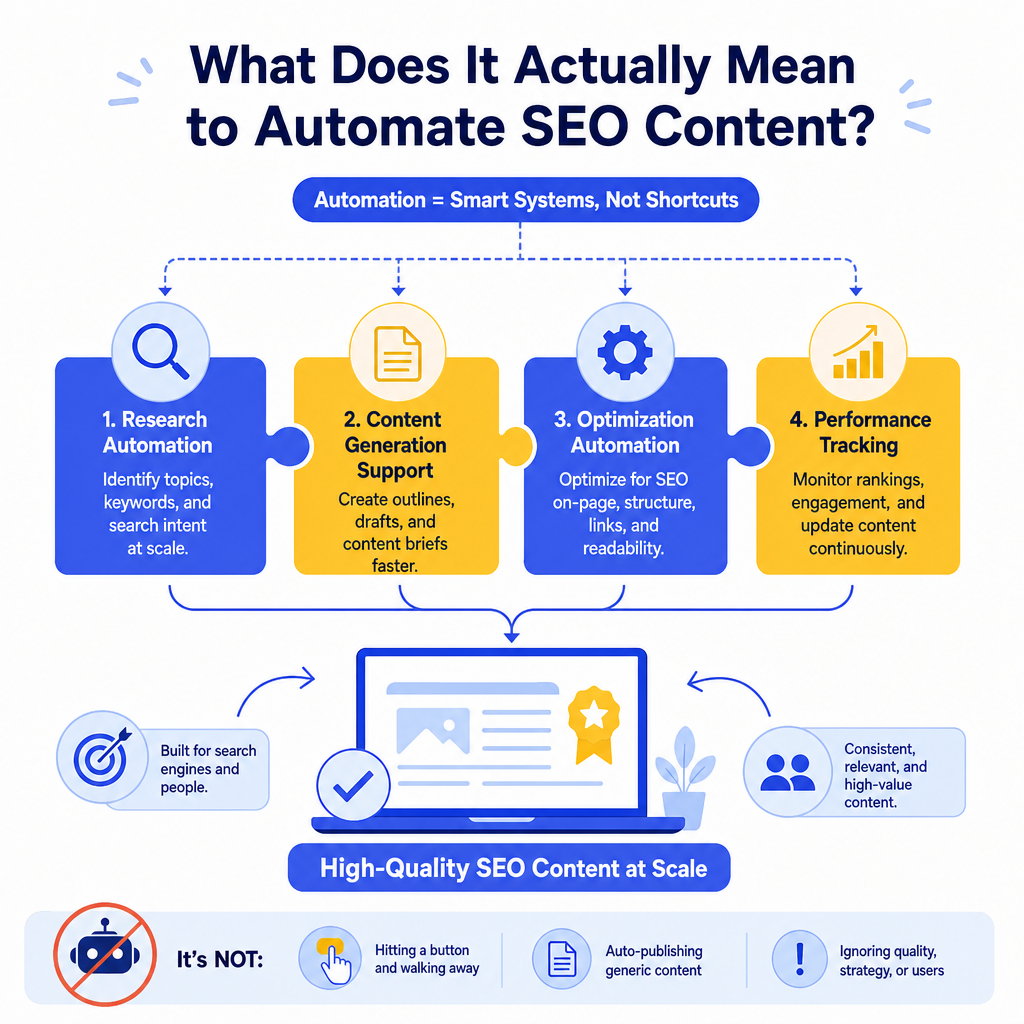
Before diving into tools and tactics, it helps to be clear about what automation means in this context. Automating your SEO content does not mean hitting a button and watching a robot write your entire blog. That approach tends to produce generic, low-value pages that search engines are increasingly good at identifying and deprioritizing.
What it does mean is using tools, systems, and workflows to handle the repetitive, time-consuming parts of SEO content production. Think keyword clustering, content briefs, meta tag generation, internal link suggestions, and publishing schedules. When those tasks are automated or semi-automated, your time frees up for the strategic and creative work that actually differentiates your content.
If you want a broader view of how this fits into a larger strategy, our post on what is content automation and why it matters in 2026 is a solid starting point.
Step 1: Audit Your Current Content Workflow
The first step in automating anything is understanding what you're already doing. Map out every task involved in producing a single piece of SEO content, from the moment you pick a topic to the moment it goes live.
Your list might include tasks like:
- Keyword research and intent analysis
- Competitor content review
- Outline creation
- Draft writing
- On-page SEO optimization (titles, meta descriptions, headers)
- Internal linking
- Image optimization and alt text
- Publishing and scheduling
- Post-publish promotion
Step 2: Build a Keyword Research System You Can Repeat
Keyword research is one of the most time-consuming parts of SEO content planning, and it's also one of the most automatable. Tools like Ahrefs, Semrush, and Google Search Console all offer ways to pull keyword data at scale. The goal here is to build a repeatable process rather than doing one-off research for every post.
How Do You Create a Repeatable Keyword System?
Start by identifying your core topic clusters. For a site like Fast SEO Fix, those might include content creation, SEO tools, keyword research, and search-driven writing. For each cluster, use a keyword research tool to pull a broad list of related terms, then filter by search volume, keyword difficulty, and search intent.
Export those filtered lists into a shared spreadsheet or project management tool. Tag each keyword with its intent (informational, navigational, transactional) and its content format (how-to guide, listicle, comparison, definition post). Now you have a content pipeline that practically plans itself. Every time you need a new topic, you pull from the list rather than starting from scratch.
According to Semrush's State of Content Marketing report, teams that document their content strategy and use systematic keyword planning produce significantly more content and see stronger organic growth than those who work reactively.
Step 3: Use AI Tools to Generate Content Briefs Automatically
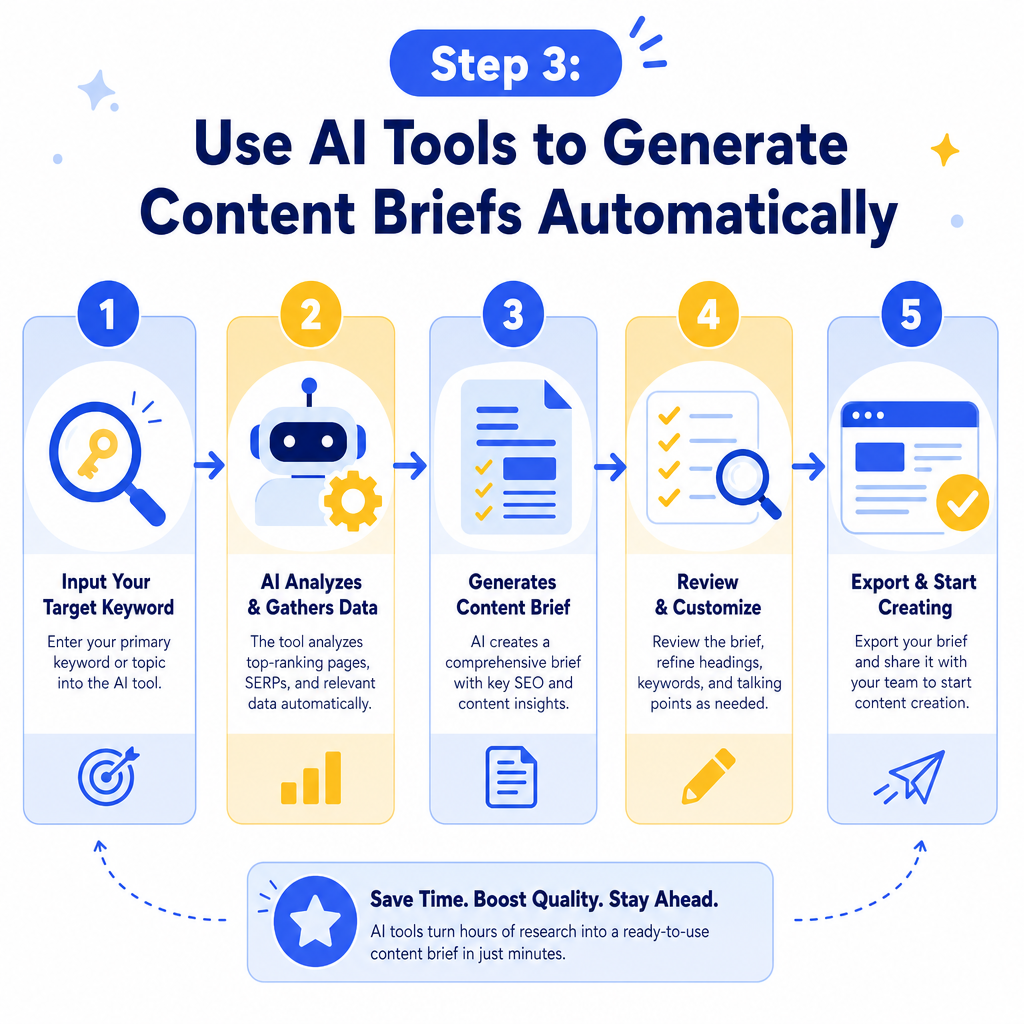
Once you have a keyword, the next bottleneck is usually the content brief. Writing a thorough brief, covering target keywords, heading structure, word count, competitor analysis, and key questions to answer, takes time. This is where AI-assisted tools shine.
Platforms like Surfer SEO, Frase, and MarketMuse can analyze the top-ranking pages for a given keyword and generate a data-backed content brief in minutes. These briefs tell you what topics to cover, which related terms to include, and roughly how long the content should be to compete in the search results.
You can also use AI writing assistants to generate first-draft outlines based on the brief. Think of this as scaffolding. The AI builds the skeleton, and you (or a writer) add the substance, expertise, and original perspective that makes the content worth reading. This hybrid approach is what separates effective SEO content automation from low-quality mass production.
For context on how SEO-specific tools fit into this workflow, take a look at our breakdown of what an SEO optimization tool is and why you need one.
Step 4: Automate On-Page SEO Elements
Writing the content is only part of the job. On-page optimization, including meta titles, meta descriptions, header tags, image alt text, and schema markup, takes additional time and is highly formulaic. That makes it a perfect candidate for automation.
Which On-Page SEO Tasks Can Be Automated?
Here is a quick breakdown of common on-page SEO tasks and how automatable each one is:
| On-Page SEO Task | Automation Potential | Recommended Approach |
|---|---|---|
| Meta title generation | High | AI tool with manual review |
| Meta description writing | High | AI tool with manual review |
| Header tag structure | Medium | AI outline tools |
| Internal link suggestions | High | Plugin or tool-based |
| Image alt text | Medium | AI with human check |
| Schema markup | High | Plugin (e.g., Yoast, RankMath) |
| Keyword density check | High | SEO platform automation |
| Readability scoring | High | Built into most SEO tools |
Step 5: Set Up an Internal Linking Workflow
Internal linking is one of the most overlooked parts of SEO content production, and it's also one of the easiest to systematize. When done well, internal links distribute page authority across your site, help search engines understand your content hierarchy, and keep readers engaged longer.
The manual approach to internal linking is slow. You have to remember what posts exist, find relevant anchor text opportunities, and add links one by one. An automated approach looks different. Tools like Link Whisper (for WordPress) scan your existing content and suggest relevant internal links based on keyword relevance. You review and approve the suggestions rather than hunting for them yourself.
You can also build a simple internal linking spreadsheet. List your cornerstone content pages and their target keywords, then reference this sheet every time a new post goes live. It takes minutes to check rather than hours to research.
Step 6: Schedule and Publish Content Automatically
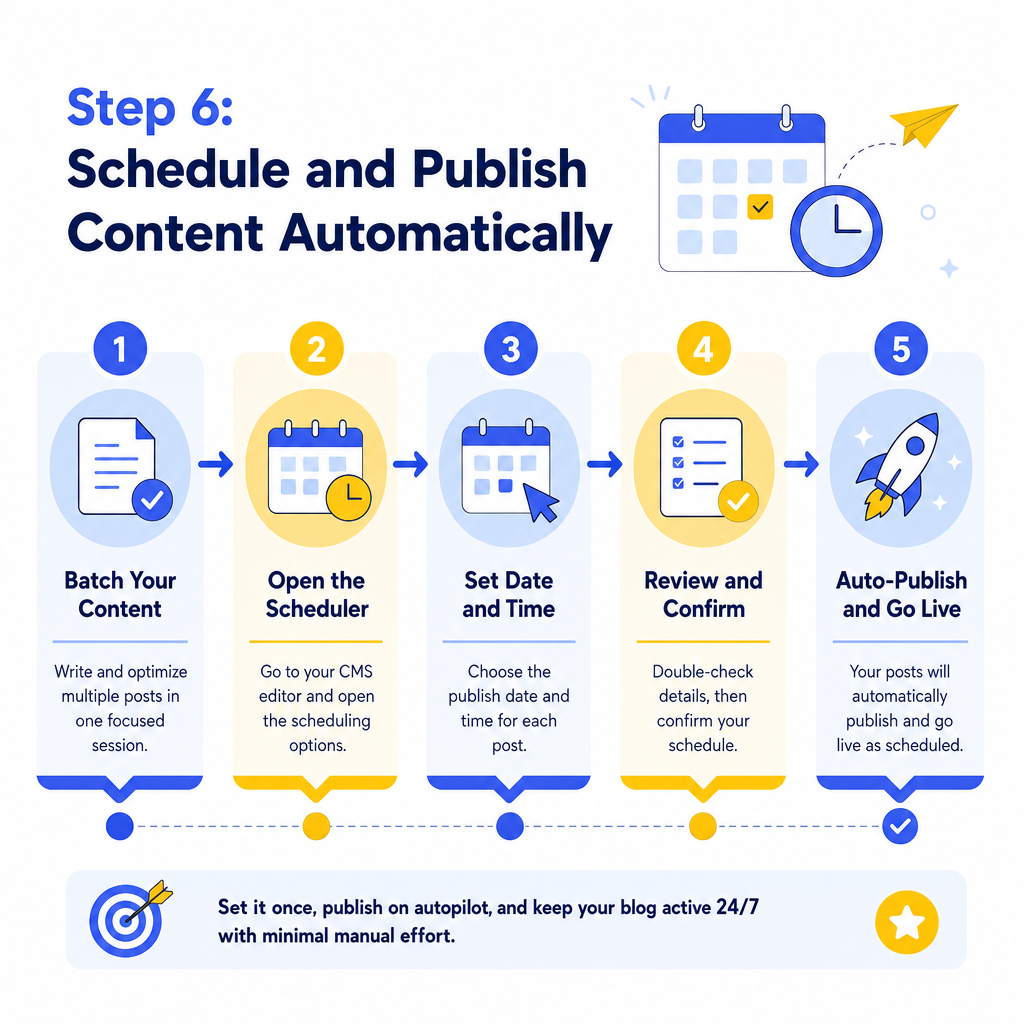
Once your content is written and optimized, the publishing step should require almost no manual effort. Most CMS platforms, including WordPress, support scheduled publishing natively. You can batch your content production, write and optimize five posts in one sitting, and then schedule them to go live throughout the month.
Pair this with a social sharing tool like Buffer or Later to automatically distribute new posts across your social channels the moment they publish. Some tools also support automatic email newsletter sends tied to new blog posts, which means your content reaches your audience without any additional manual steps.
According to HubSpot's marketing research, businesses that publish consistently (at least weekly) generate significantly more organic traffic than those that publish sporadically, which makes scheduling automation one of the highest-ROI changes you can make.
Step 7: Track Performance and Feed Data Back Into Your System
Automation does not mean set it and forget it. The final step in a solid SEO content automation workflow is tracking performance and using that data to improve your system over time.
Set up automated reports in Google Search Console and Google Analytics 4 to send weekly or monthly summaries to your inbox. Look at which posts are gaining impressions, which keywords are moving up in rankings, and which pages have high bounce rates. Use this data to decide which content to update, which topics to expand, and which keyword clusters are worth doubling down on.
This feedback loop is what turns a basic automation setup into a genuine content growth engine. Over time, your system gets smarter because you're feeding it real performance data rather than guessing.
Conclusion
Automating your SEO content is not about removing humans from the process. It's about removing friction so that the humans involved can focus on what actually matters: strategy, expertise, and quality. By auditing your workflow, building repeatable keyword systems, using AI for briefs and on-page tasks, systematizing internal linking, and scheduling your publishing pipeline, you can produce more content, more consistently, without burning out.
Start with one step. Pick the task that costs you the most time right now and find a tool or system to handle it. Then build from there. The compounding effect of a well-designed SEO content automation workflow will show up in your rankings, your traffic, and your sanity.
Ready to take the next step? Explore the resources here at Fast SEO Fix to keep building a content system that works while you sleep.

Stefan Winter
Founder & SEO Expert
Founder of Fast SEO Fix and SEO automation expert. Stefan built Fast SEO Fix to solve the tedious problem of manual SEO work. He specializes in SEO optimized content generation, keyword research, and automated SEO strategies.
