What Is Content Structure and Why Does It Matter for SEO?
Posted by
 Stefan Winter
How to Build Content Structure That Drives Organic Traffic and Engagement
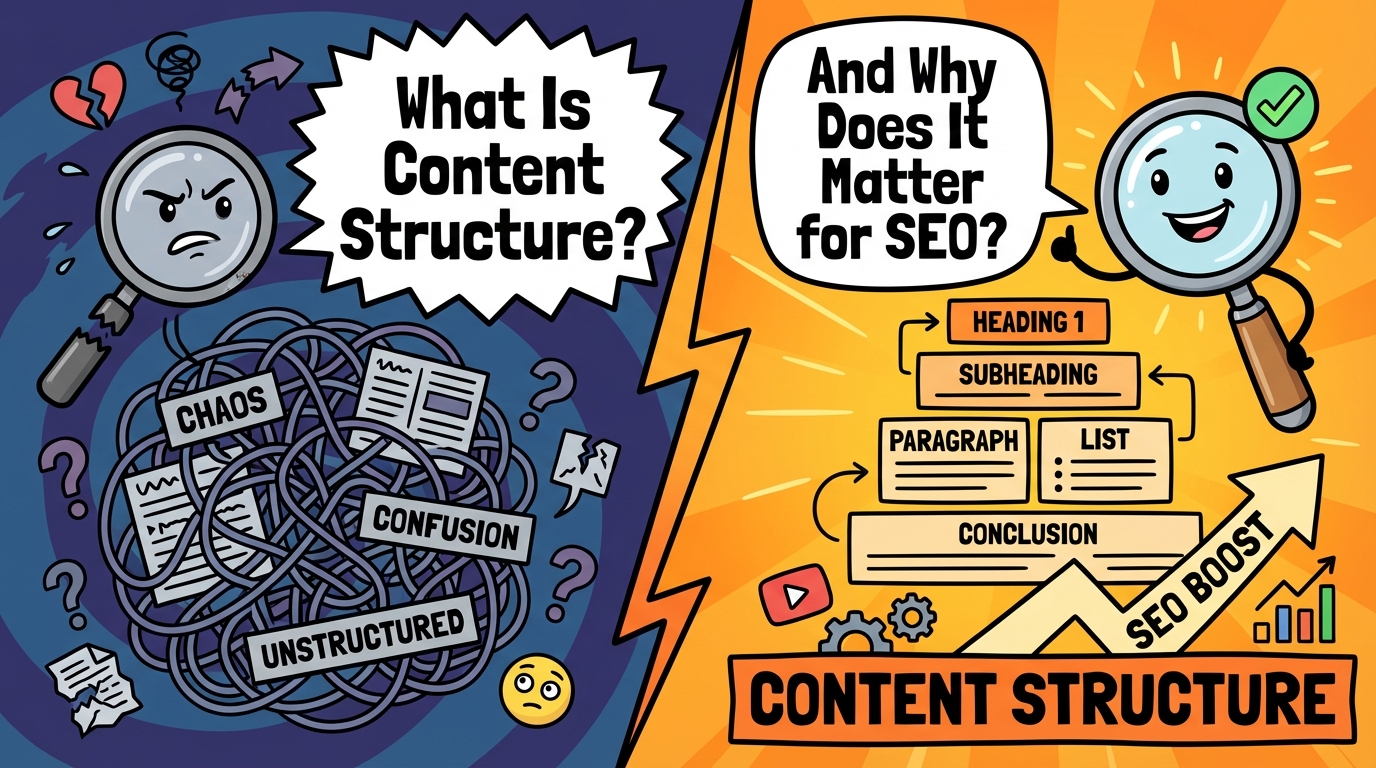
Creating compelling content isn't just about having great ideas or perfect grammar. The secret to content that ranks well and keeps readers engaged lies in how you structure it. Content structure acts as the invisible framework that guides both search engines and human readers through your message, making it easier to understand, scan, and act upon.
In this comprehensive guide, you'll discover how to build content structure that not only satisfies search engine algorithms but also creates an exceptional user experience that converts visitors into loyal readers and customers.
What Is Content Structure and Why Does It Matter for SEO?
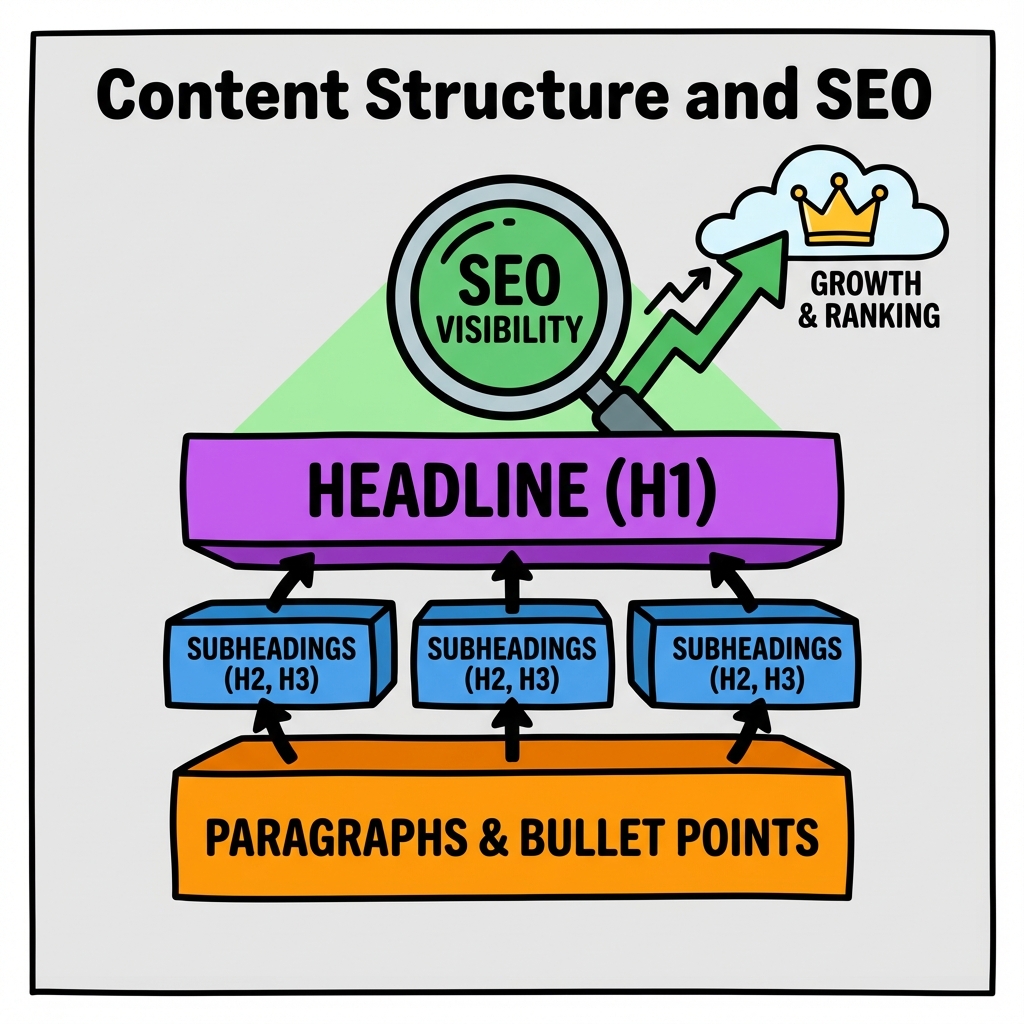
Content structure refers to the logical organization and hierarchy of information within your blog posts, web pages, and other digital content. It encompasses everything from your headline and subheadings to paragraph flow, bullet points, and visual elements.
Think of content structure as the architectural blueprint of your content. Just as a well-designed building needs a solid foundation and logical room layout, your content needs a clear framework that helps readers navigate from point A to point B without confusion.
Search engines like Google use sophisticated algorithms to evaluate content structure. They analyze heading tags (H1, H2, H3), paragraph length, internal linking patterns, and overall readability to determine how well your content serves user intent. According to Google's Search Quality Evaluator Guidelines, well-structured content that demonstrates expertise and authority receives higher rankings.
When you master content structure, you create a win-win situation: search engines can better understand and index your content, while readers enjoy a smoother, more engaging experience that encourages them to stay longer and take action.
How to Create an SEO-Friendly Heading Hierarchy
Your heading structure serves as the roadmap for both readers and search engines. A well-planned hierarchy makes your content scannable and helps establish topical authority.
Start with your H1 tag, which should contain your primary keyword and clearly communicate the main topic. This heading appears only once per page and acts as the title that sets expectations for everything that follows.
Your H2 headings break down the main topic into major sections. These should cover the key subtopics that support your primary keyword while incorporating related terms naturally. For example, if your main topic is content structure, your H2s might cover heading hierarchy, paragraph organization, and visual elements.
Using H3 and H4 Tags Effectively
H3 tags dive deeper into specific aspects of your H2 sections. They're perfect for addressing common questions, providing step-by-step instructions, or exploring nuanced points. H4 tags and beyond should be used sparingly, typically for very detailed breakdowns or complex technical content.
Here's a practical heading structure example:
| Heading Level | Purpose | Example |
|---|---|---|
| H1 | Main topic/title | "How to Build Content Structure" |
| H2 | Major sections | "Creating Heading Hierarchy" |
| H3 | Subsections | "Using H3 and H4 Tags Effectively" |
| H4 | Detailed points | "Common H4 Use Cases" |
What Makes Paragraph Structure Drive Reader Engagement?
Paragraph structure directly impacts readability and user engagement. Online readers scan content differently than print readers, making paragraph organization crucial for maintaining attention.
Keep paragraphs short and focused, typically 2-4 sentences maximum. Each paragraph should cover one main idea and flow naturally to the next. Start paragraphs with strong topic sentences that immediately communicate the key point, then support that point with evidence, examples, or elaboration.
Use transitional phrases to connect paragraphs and create smooth content flow. Phrases like "building on this concept," "however," "additionally," and "as a result" help readers follow your logical progression. This technique works particularly well when you're creating content strategically to guide readers toward specific outcomes.
Vary your paragraph lengths to create visual interest and rhythm. While most paragraphs should be short, occasionally using a longer paragraph for complex explanations or a single-sentence paragraph for emphasis can enhance readability and engagement.
How to Use Lists and Bullet Points for Maximum Impact
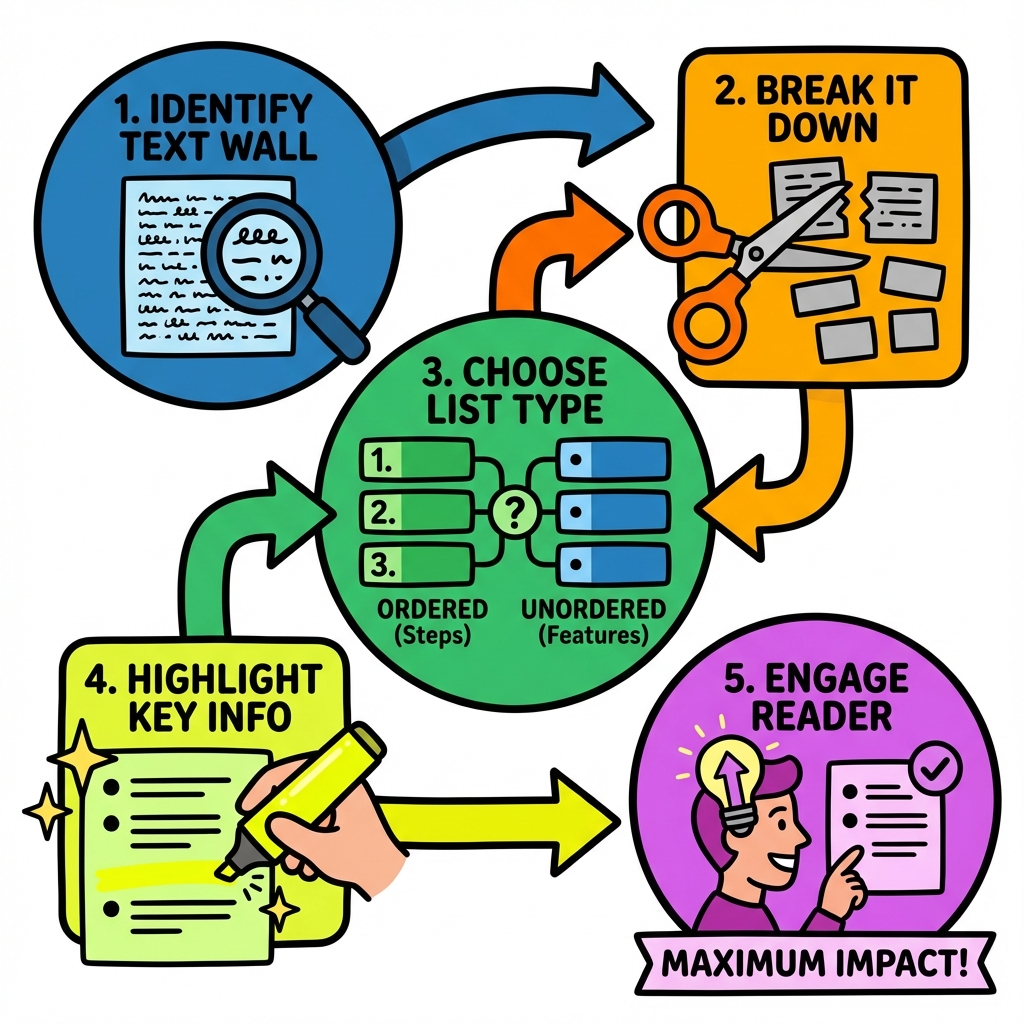
Lists and bullet points are powerful structural elements that break up text walls and highlight key information. They're particularly effective for presenting steps, features, benefits, or any information that readers might want to reference quickly.
Use numbered lists when order matters, such as step-by-step processes or ranked items. Bullet points work best for features, benefits, or related items where sequence isn't important. Keep list items parallel in structure and length when possible.
Consider these best practices for effective lists:
- Start each item with strong action words or clear descriptors
- Keep items roughly the same length for visual consistency
- Use sub-bullets sparingly to avoid overwhelming readers
- Include 3-7 items per list for optimal readability
- Follow lists with explanatory text when needed
What Role Do Visual Elements Play in Content Structure?
Visual elements aren't just decorative additions to your content structure. They serve as important organizational tools that break up text, illustrate complex concepts, and guide reader attention to key points.
Images, infographics, and charts should be strategically placed to support your written content. Use visuals to break up long sections of text, typically every 300-400 words. This creates natural reading breaks and makes your content less intimidating to scan.
Tables are particularly effective for presenting comparative data, feature lists, or structured information. They allow readers to quickly find and compare specific details without reading through lengthy paragraphs. When creating tables, keep them simple and mobile-friendly with clear headers and concise cell content.
Optimizing Visual Elements for SEO
Every visual element should include appropriate alt text that describes the image content and incorporates relevant keywords naturally. File names should be descriptive rather than generic (use "content-structure-hierarchy-example.jpg" instead of "image1.jpg").
Caption text provides additional opportunities to reinforce your key messages and improve accessibility. Well-written captions can also increase the time readers spend engaging with your content, which sends positive signals to search engines.
How to Structure Internal Links for Better User Flow
Internal linking is a crucial component of content structure that many content creators overlook. Strategic internal links guide readers to related information, increase time on site, and help search engines understand your site's topical authority.
Place internal links contextually within your content where they add genuine value. Rather than forcing links, look for natural opportunities where additional information would help readers understand or implement your advice. For instance, when discussing automated content strategies, linking to information about what makes automated SEO different from traditional SEO provides valuable context.
Use descriptive anchor text that tells readers exactly what they'll find when they click. Avoid generic phrases like "click here" or "read more." Instead, use specific descriptions like "comprehensive guide to keyword research" or "step-by-step content optimization process."
Distribute internal links throughout your content rather than clustering them in one section. This creates multiple pathways for readers to explore related topics while maintaining the flow of your primary content.
What Content Structure Mistakes Should You Avoid?
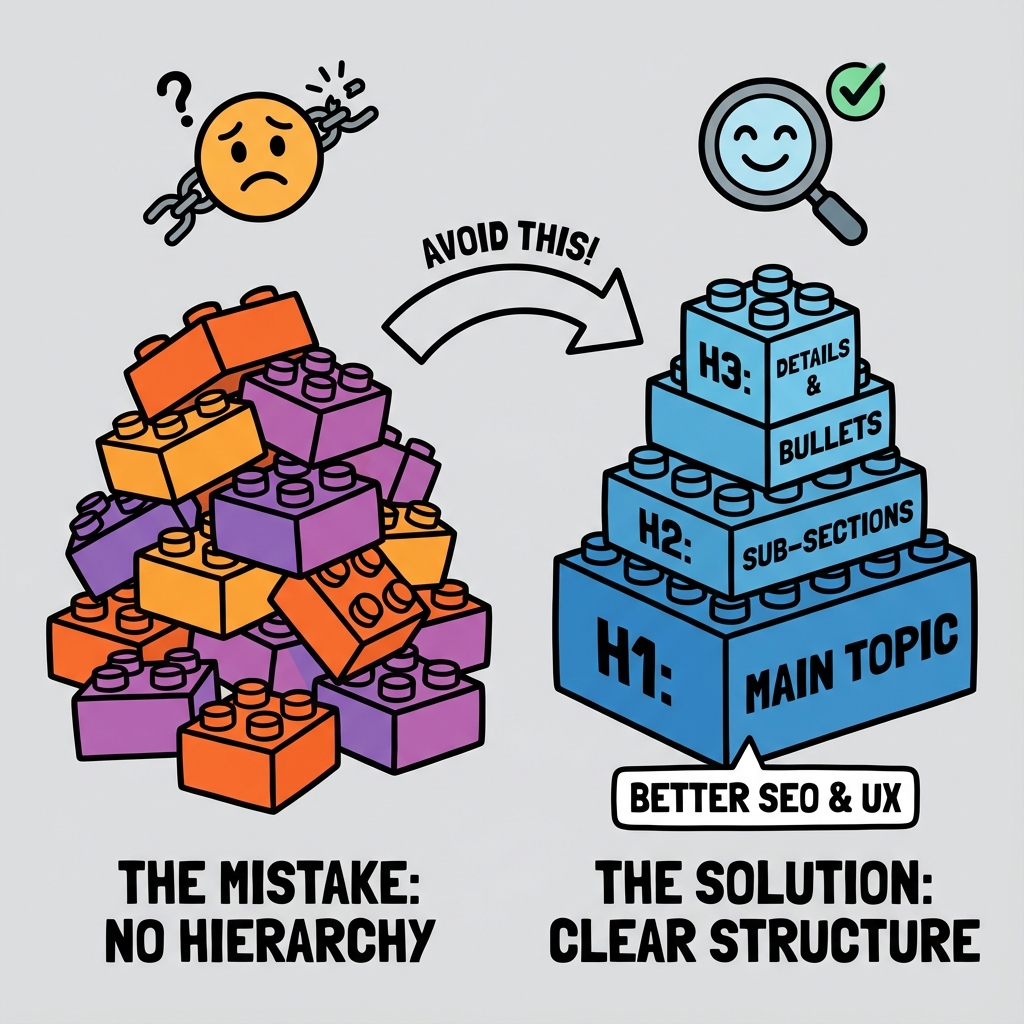
Even well-intentioned content creators make structural mistakes that hurt both SEO performance and user experience. Understanding these common pitfalls helps you build better content from the start.
Avoid creating content with no clear hierarchy. Wall-of-text articles without headings, bullet points, or visual breaks overwhelm readers and perform poorly in search results. Search engines struggle to understand the main topics and subtopics when content lacks structural elements.
Don't stuff keywords into headings unnaturally. While including target keywords in headings is important, forced or repetitive keyword usage hurts readability and can trigger search engine penalties. Focus on creating helpful, descriptive headings that happen to include relevant keywords.
Another critical mistake is inconsistent formatting throughout your content. Mixed heading styles, varying bullet point formats, or inconsistent spacing creates a unprofessional appearance that reduces credibility and trust.
How to Test and Improve Your Content Structure
Effective content structure isn't a set-it-and-forget-it element. Regular testing and optimization help you understand what works best for your audience and improve performance over time.
Use analytics tools to monitor user behavior metrics like time on page, bounce rate, and scroll depth. These metrics reveal how well your structure engages readers. High bounce rates might indicate that your introduction doesn't hook readers, while low scroll depth could suggest your content structure makes it difficult to continue reading.
A/B testing different structural approaches can provide valuable insights. Try testing different heading styles, paragraph lengths, or visual element placement to see what generates better engagement and conversions.
Pay attention to user feedback and comments. Readers often indicate when they found content difficult to follow or when certain sections were particularly helpful. This feedback can guide structural improvements for future content. Understanding what makes blog examples high-converting versus generic can help you identify specific structural elements that drive results.
Conclusion
Mastering content structure is essential for creating content that ranks well in search engines and delivers exceptional user experiences. By implementing strategic heading hierarchies, optimizing paragraph flow, incorporating visual elements effectively, and building strong internal linking patterns, you create content that serves both algorithmic requirements and human needs.
Remember that great content structure supports your message rather than overwhelming it. Start with clear organization, focus on readability, and continuously test and refine your approach based on performance data and user feedback.
Ready to transform your content's performance? Begin implementing these content structure strategies in your next blog post and watch as your organic traffic and engagement metrics improve. The investment in proper structure pays dividends in search rankings, reader satisfaction, and business results.

Stefan Winter
Founder & SEO Expert
Founder of Fast SEO Fix and SEO automation expert. Stefan built Fast SEO Fix to solve the tedious problem of manual SEO work. He specializes in SEO optimized content generation, keyword research, and automated SEO strategies.
