The Complete Guide to Automation Tools: What They Are, How They Work, and Why You Need Them in 2026
Posted by
 Stefan Winter
TL;DR
Automation tools are software platforms that handle repetitive tasks automatically, allowing businesses and individuals to work more efficiently and scale operations without proportionally increasing headcount. In 2026, these tools span multiple categories—from marketing and workflow automation to customer service and RPA—and operate on a trigger-action model that can execute complex, multi-step processes across integrated apps.
The Complete Guide to Automation Tools: What They Are, How They Work, and Why You Need Them in 2026
If you have ever wished you could clone yourself just to keep up with repetitive tasks, you are not alone. Whether you run a small business, manage a marketing team, or work as a solo freelancer, the sheer volume of daily tasks can feel overwhelming. That is exactly where automation tools come in. These powerful solutions are designed to take routine, time-consuming work off your plate so you can focus on what actually moves the needle. In this complete guide, we will walk you through everything you need to know about automation tools, from the basics to advanced strategies, so you can make smarter decisions about how you work.
What Are Automation Tools?
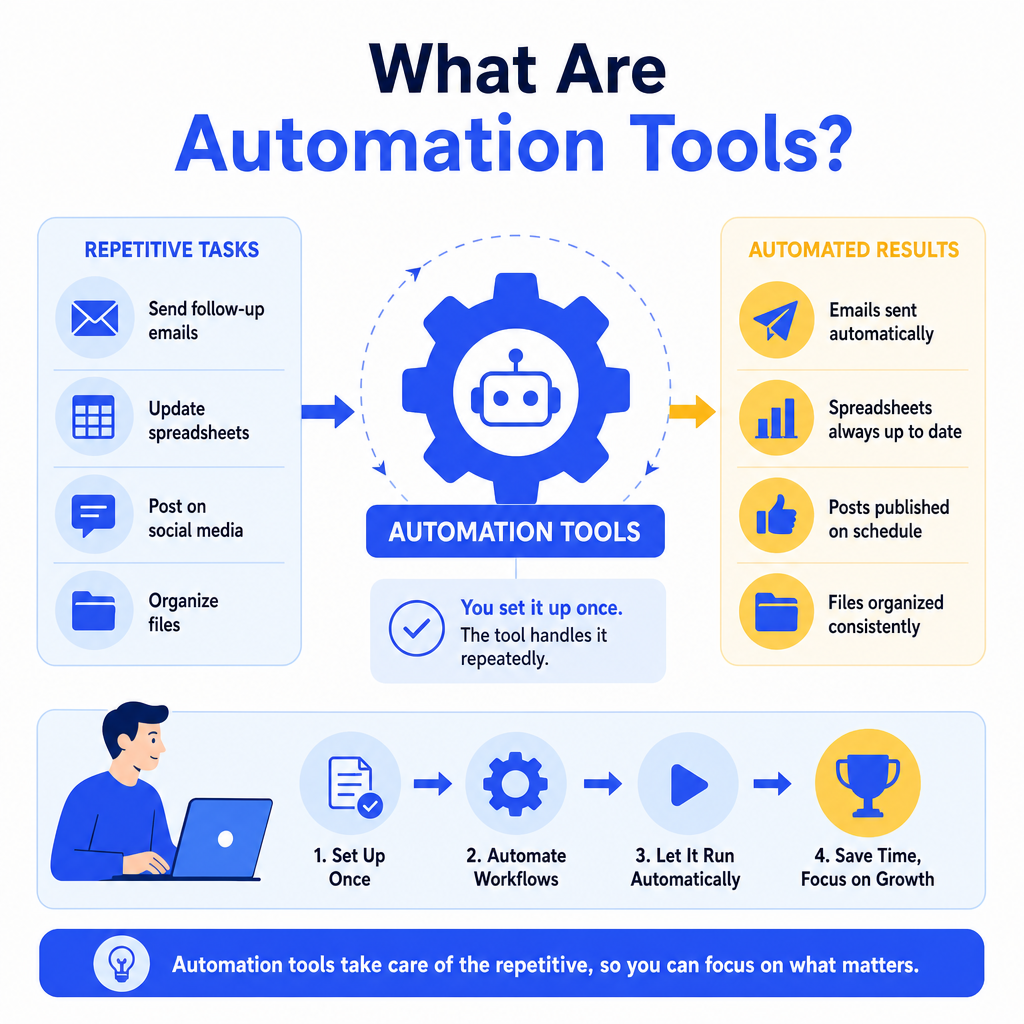
Automation tools are software applications or platforms that perform repetitive tasks automatically, without requiring constant human input. Instead of manually sending follow-up emails, updating spreadsheets, or posting to social media every day, you set up a workflow once and let the tool handle it from there.
The concept is not new, but the technology has evolved dramatically. Today's automation tools are more intuitive, more affordable, and more powerful than ever before. They connect with hundreds of apps, respond to triggers in real time, and can even make basic decisions based on conditions you define. For businesses and individuals alike, this represents a genuine shift in how work gets done.
It is also worth noting that automation tools span a wide range of categories. Some are built for marketing, others for IT operations, customer service, finance, or project management. The right tool depends on your specific goals, your existing tech stack, and how much customization you need.
Why Automation Tools Matter More Than Ever in 2026
What problems do automation tools actually solve?
The modern workplace generates an enormous amount of repetitive work. Studies consistently show that employees spend a significant portion of their week on tasks that could be automated, including data entry, scheduling, report generation, and routine communication. That is time that could be spent on creative thinking, strategy, or building client relationships.
In 2026, the pressure to do more with less has only intensified. Businesses are navigating tighter budgets, leaner teams, and higher customer expectations. Automation tools help bridge that gap by increasing output without increasing headcount. They also reduce human error, which is a significant concern in data-heavy industries like finance and healthcare.
Beyond efficiency, automation tools support scalability. When your business grows, your processes need to grow with it. Manually managing ten clients is manageable. Managing a hundred clients the same way is not. Automation allows you to scale your operations without proportionally scaling your team.
Types of Automation Tools You Should Know About
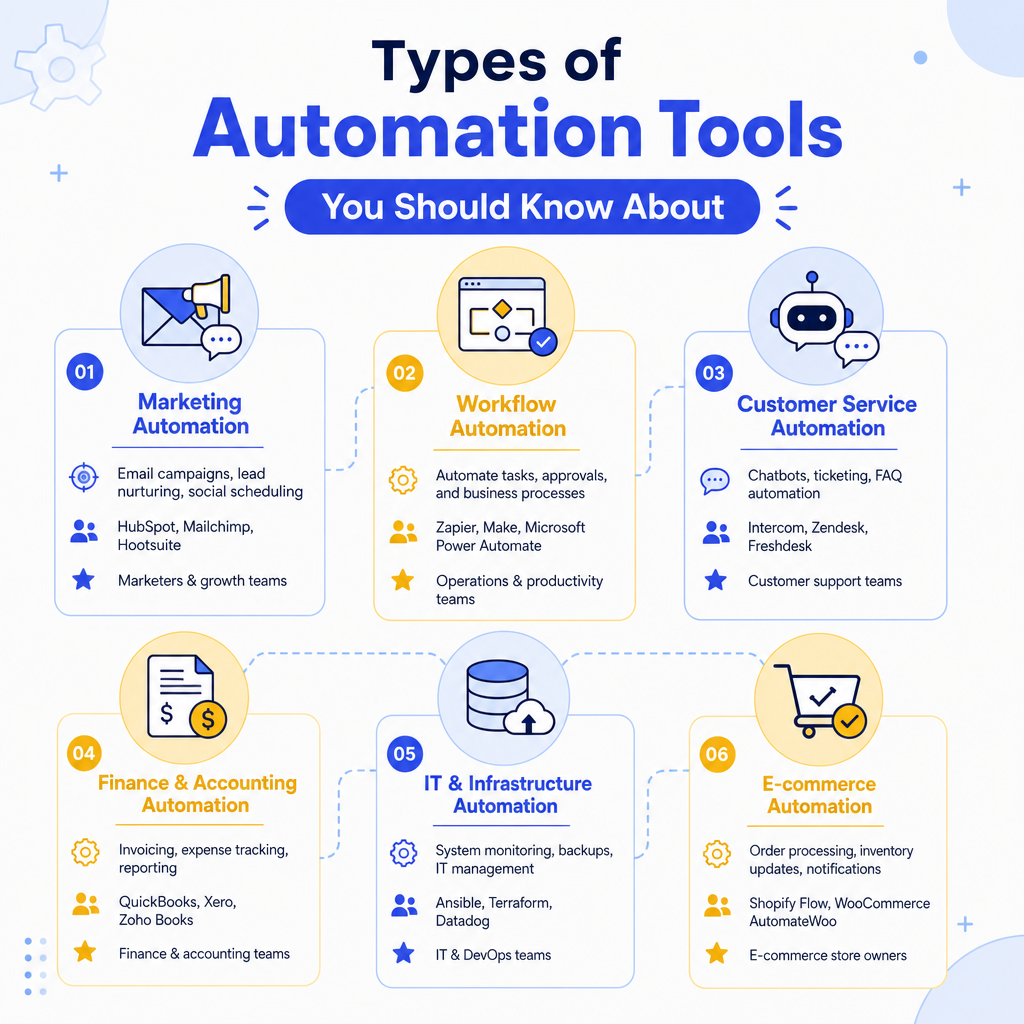
Not all automation tools are created equal. Understanding the major categories will help you identify which ones are relevant to your situation.
| Category | Primary Use Case | Popular Examples | Best For |
|---|---|---|---|
| Marketing Automation | Email campaigns, lead nurturing, social scheduling | HubSpot, Mailchimp, ActiveCampaign | Marketing teams, agencies |
| Workflow Automation | Connecting apps, automating multi-step processes | Zapier, Make (formerly Integromat) | Small businesses, ops teams |
| IT and DevOps Automation | Server management, deployments, monitoring | Ansible, Jenkins, Terraform | IT departments, developers |
| Customer Service Automation | Chatbots, ticket routing, auto-responses | Zendesk, Intercom, Freshdesk | Support teams, e-commerce |
| RPA (Robotic Process Automation) | Mimicking human actions in legacy systems | UiPath, Automation Anywhere, Blue Prism | Enterprise, finance, HR |
| Sales Automation | CRM updates, follow-up sequences, pipeline tracking | Salesforce, Pipedrive, Outreach | Sales teams |
How Do Automation Tools Work?
What is a trigger-action model?
Most automation tools operate on a simple but powerful principle called the trigger-action model. A trigger is an event that starts the automation (for example, a new form submission on your website). An action is what happens in response (for example, adding that person to your email list and sending a welcome message).
Some tools allow for multi-step workflows, where one trigger sets off a chain of actions across multiple platforms. For instance, when a customer places an order (trigger), the system could update your inventory spreadsheet, send a confirmation email, notify your fulfillment team via Slack, and create a task in your project management tool, all without any manual input.
More advanced automation tools incorporate conditional logic, meaning they can take different actions depending on specific criteria. If a lead opens your email three times but never clicks, the tool might automatically move them to a different nurture sequence. This kind of intelligent automation dramatically improves the relevance and effectiveness of your processes.
How to Choose the Right Automation Tools for Your Needs
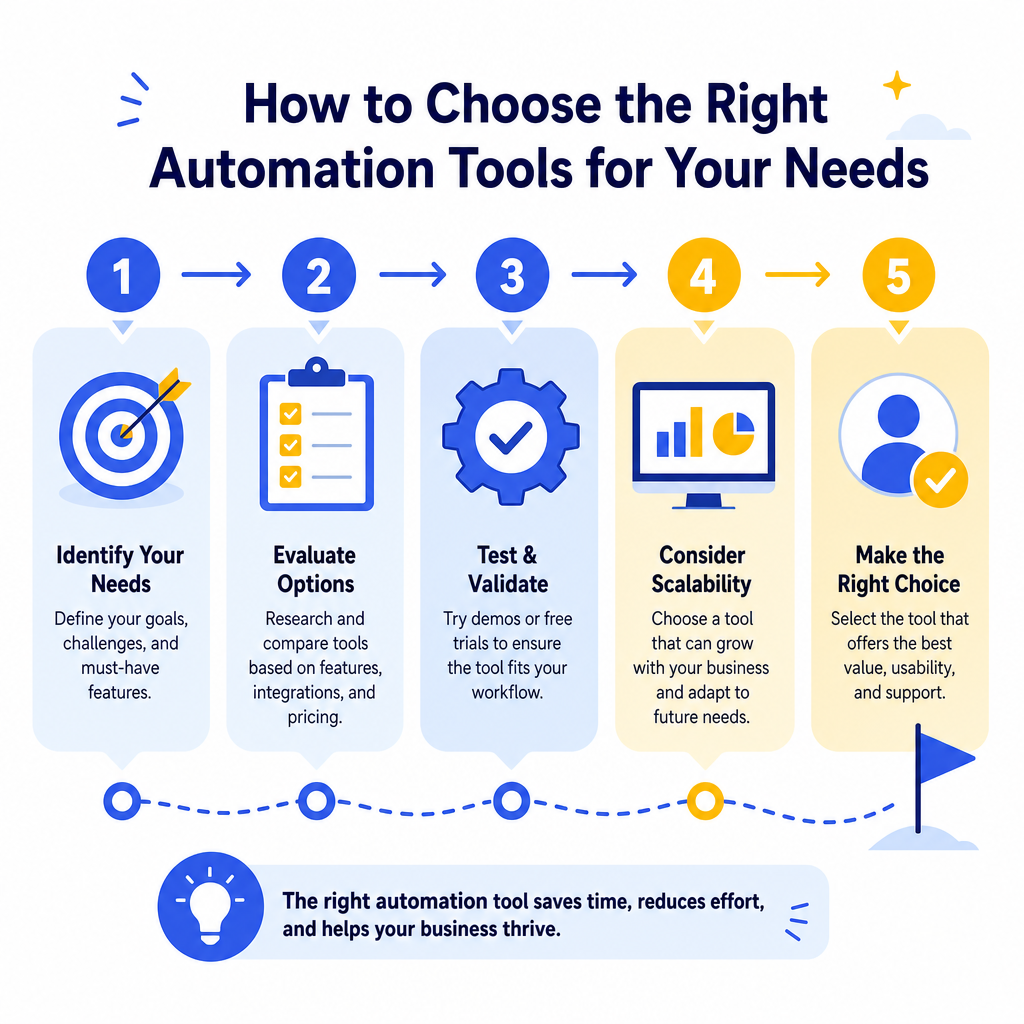
What should you look for when evaluating automation tools?
Choosing automation tools can feel overwhelming given how many options exist. Here is a practical framework to simplify your decision:
- Define your goal first. Are you trying to save time, reduce errors, improve customer experience, or scale operations? Your goal shapes which category of tool you need.
- Audit your current tech stack. The best automation tool is one that integrates seamlessly with the apps you already use. Check compatibility before committing.
- Consider ease of use. Some tools require coding knowledge, while others are completely no-code. Choose based on your team's technical skill level.
- Evaluate pricing models. Many tools charge based on the number of tasks, users, or workflows. Understand the pricing structure before you scale up.
- Look for reliability and support. Downtime in an automation workflow can cause real problems. Choose vendors with strong uptime records and responsive customer support.
- Start with a free trial. Most reputable automation tools offer a trial period. Use it to test real workflows before making a financial commitment.
Best Practices for Implementing Automation Tools Successfully
How do you avoid common automation mistakes?
Even the best automation tools can fail if implemented poorly. Here are the most important best practices to follow:
- Document your processes before automating them. Automating a broken process just makes errors happen faster. Map out your workflow manually first, identify inefficiencies, and then automate the clean version.
- Start small and expand gradually. Pick one high-impact, low-risk process to automate first. Learn from that experience before rolling out automation across your entire operation.
- Build in monitoring and alerts. Set up notifications so you know immediately if an automation fails or produces unexpected results.
- Keep humans in the loop for high-stakes decisions. Automation is powerful, but some situations require human judgment. Design your workflows to flag edge cases for manual review.
- Review and update your automations regularly. Business processes change, and your automations need to change with them. Schedule a quarterly review to make sure everything still works as intended.
- Train your team. Automation tools are only effective if the people using them understand how they work. Invest time in proper onboarding and documentation.
The Future of Automation Tools
The automation landscape is evolving rapidly, driven by advances in artificial intelligence and machine learning. In 2026, we are seeing a new generation of intelligent automation tools that go far beyond simple trigger-action workflows. These tools can analyze patterns, predict outcomes, and make nuanced decisions that previously required human expertise.
AI-powered automation tools are being used to personalize customer experiences at scale, optimize supply chains in real time, and generate first drafts of content for human review. The line between automation and artificial intelligence is blurring, and businesses that embrace this shift early will have a significant competitive advantage.
That said, the fundamentals remain the same. The best automation tools are the ones that solve real problems, integrate well with your existing systems, and free up human time for higher-value work. Technology will continue to evolve, but that core value proposition will not change.
Conclusion
Automation tools are no longer a luxury reserved for large enterprises with big budgets. In 2026, they are an essential part of how competitive businesses operate, regardless of size or industry. From marketing and sales to customer service and IT operations, the right automation tools can save hours every week, reduce costly errors, and help your business scale without burning out your team.
The key is to approach automation strategically. Start by identifying your biggest pain points, choose tools that fit your existing workflow, implement them carefully, and measure the results. Small wins build confidence and momentum, and before long, automation becomes a core part of how your organization operates.
Ready to get started? Take one repetitive task you do this week and ask yourself: could a tool handle this for me? Chances are, the answer is yes, and that is the first step toward building a smarter, more efficient operation.
Frequently Asked Questions
An automation tool is software that performs repetitive tasks automatically without constant human input. You set up a workflow once with triggers and actions, and the tool executes it repeatedly, connecting multiple apps and making decisions based on conditions you define.
Most automation tools use a trigger-action model: a trigger is an event that starts the process (like a form submission), and an action is what happens in response (like sending an email). Advanced tools support multi-step workflows and conditional logic to handle complex scenarios.
Major categories include marketing automation (HubSpot, Mailchimp), workflow automation (Zapier, Make), IT/DevOps automation (Ansible, Jenkins), customer service automation (Zendesk, Intercom), RPA (UiPath, Automation Anywhere), and sales automation (Salesforce, Pipedrive).
Automation tools help businesses navigate tighter budgets and leaner teams by increasing output without adding headcount, reducing human error, and enabling scalability. They free up time for strategic work while handling routine tasks like data entry, scheduling, and communication.
Start by defining your specific goal (save time, reduce errors, improve customer experience, or scale), audit your existing tech stack for compatibility, and evaluate ease of use. The best tool integrates seamlessly with apps you already use and matches your technical skill level.

Stefan Winter
Founder & SEO Expert
Founder of Fast SEO Fix and SEO automation expert. Stefan built Fast SEO Fix to solve the tedious problem of manual SEO work. He specializes in SEO optimized content generation, keyword research, and automated SEO strategies.
