How to Check Robots.txt Files: A Complete Guide for Website Optimization
Posted by
 Stefan Winter
How to Check Robots.txt Files: A Complete Guide for Website Optimization

Website crawling and indexing can make or break your SEO success. When search engines visit your site, they first look for a small but powerful file called robots.txt that tells them which pages to crawl and which to avoid. Learning how to check robots files properly ensures your website communicates effectively with search engines, preventing costly indexing mistakes that could hurt your rankings. This comprehensive guide will walk you through everything you need to know about checking, analyzing, and optimizing your robots.txt file for maximum SEO impact.
What Are Robots.txt Files and Why Should You Check Them?
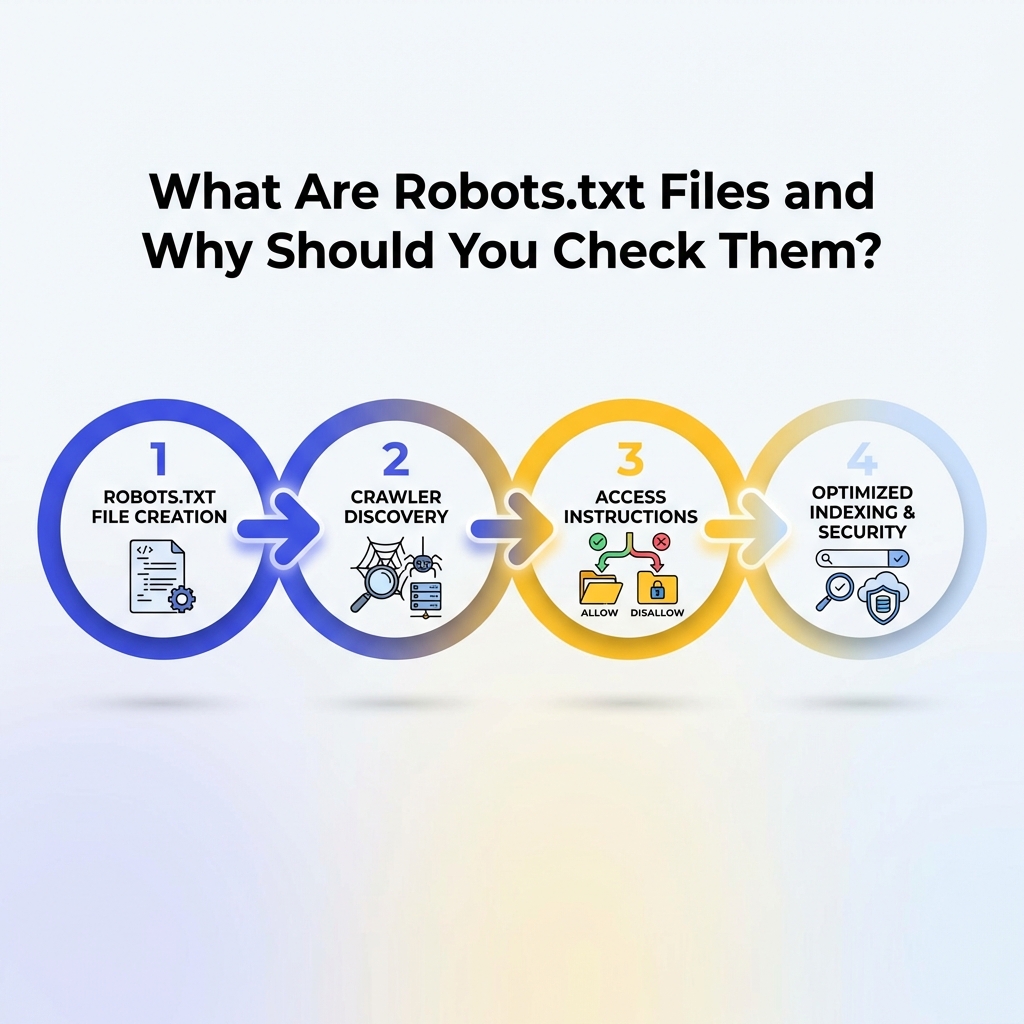
Robots.txt files serve as the first point of contact between your website and search engine crawlers. These simple text files contain instructions that guide web crawlers through your site, telling them which directories and pages they can access and which areas are off-limits.
When you check robots files regularly, you ensure that search engines can properly discover and index your most important content while staying away from sensitive areas like admin panels, duplicate content, or development directories. A misconfigured robots.txt file can accidentally block search engines from crawling your entire website, leading to dramatic drops in organic traffic and search visibility.
Understanding how to check robots files becomes even more critical as search engines continue to evolve their crawling algorithms. Google, Bing, and other major search engines rely heavily on these directives to efficiently allocate their crawling resources across the billions of web pages online.
How to Locate and Access Your Robots.txt File?
The first step in learning how to check robots files involves knowing where to find them. Every robots.txt file follows a standard location protocol that makes them easy to locate across any website.
To find any website's robots.txt file, simply add "/robots.txt" to the end of the domain name in your browser's address bar. For example, if you want to check the robots file for www.fastseofix.com, you would navigate to www.fastseofix.com/robots.txt. This standard location ensures that search engine crawlers can always find the file in the same place.
If you see a "404 Not Found" error when trying to access the robots.txt file, this means the website doesn't have one configured. While having a robots.txt file isn't mandatory, most professional websites benefit from having one to provide clear crawling instructions to search engines.
What Key Elements Should You Look for When You Check Robots Files?
When you check robots files, you'll encounter several important directives that control how search engines interact with the website. Understanding these elements helps you interpret what the file is actually doing and identify potential issues.
The "User-agent" directive specifies which web crawlers the following rules apply to. You might see "User-agent: *" which means the rules apply to all crawlers, or specific designations like "User-agent: Googlebot" for Google's crawler only. The "Disallow" directive tells crawlers which directories or pages they should not access, while "Allow" directives (less common) explicitly permit access to specific areas.
Another crucial element to check is the "Sitemap" directive, which points crawlers to your XML sitemap location. This helps search engines discover all your important pages more efficiently. You should also look for "Crawl-delay" directives that specify how long crawlers should wait between requests, which can impact how quickly your site gets indexed.
Common Robots.txt Directive Examples
Here are the most frequently encountered directives you'll see when you check robots files:
- User-agent: * - Applies rules to all web crawlers
- Disallow: /admin/ - Blocks access to admin directories
- Disallow: /private/ - Prevents crawling of private folders
- Allow: /public/ - Explicitly allows access to public directories
- Sitemap: https://example.com/sitemap.xml - Points to XML sitemap location
How to Use Google Search Console to Check Robots File Performance?

Google Search Console provides powerful tools for checking how your robots.txt file affects your website's crawling and indexing. The robots.txt Tester tool allows you to see exactly how Googlebot interprets your file and test specific URLs against your current directives.
To access this feature, log into your Google Search Console account, select your property, and navigate to the "robots.txt Tester" under the "Crawl" section. Here you can view your current robots.txt file, test how it affects specific URLs, and even submit changes directly to Google for faster processing.
The Coverage report in Google Search Console also shows you pages that have been excluded due to robots.txt directives. This helps you identify whether your robots file is accidentally blocking important pages that should be indexed. Regular monitoring of these reports ensures your robots.txt file supports rather than hinders your SEO goals.
What Tools Can Help You Check Robots Files More Effectively?
Several specialized tools make it easier to check robots files and analyze their impact on your website's SEO performance. These tools go beyond basic text viewing to provide insights into how your directives affect search engine crawling patterns.
| Tool Type | Primary Function | Best For | Cost |
|---|---|---|---|
| Google Search Console | Official Google testing and monitoring | Googlebot-specific analysis | Free |
| Screaming Frog SEO Spider | Comprehensive crawl simulation | Technical SEO audits | Freemium |
| SEMrush Site Audit | Automated robots.txt analysis | Regular monitoring | Paid |
| Ahrefs Site Audit | Robots.txt error detection | Competitive analysis | Paid |
| Online Robots.txt Validators | Quick syntax checking | Simple validation | Free |
Browser-based validators provide quick ways to check robots files for syntax errors and common mistakes. These tools are particularly useful when you're making changes to your robots.txt file and want to verify that your new directives are properly formatted before publishing them live.
How to Identify and Fix Common Robots.txt Issues?
When you check robots files regularly, you'll often discover common issues that can negatively impact your website's search engine performance. Learning to identify and resolve these problems quickly prevents long-term SEO damage.
One frequent issue is accidentally blocking important pages or directories that should be crawled. This often happens when website owners use overly broad disallow directives like "Disallow: /blog/" when they only meant to block a specific subdirectory. Always test your directives against actual URLs to ensure they work as intended.
Syntax errors represent another common problem when checking robots files. Missing colons, incorrect spacing, or invalid characters can cause search engines to ignore your entire robots.txt file. Most syntax errors are easy to fix once identified, but they can cause significant crawling issues if left unaddressed.
Step-by-Step Process to Fix Robots.txt Problems
1. Backup your current robots.txt file before making any changes 2. Identify the specific issue using testing tools or error reports 3. Make targeted corrections rather than wholesale changes 4. Test your changes using Google Search Console's robots.txt Tester 5. Monitor crawling reports for 2-4 weeks after implementing fixes 6. Document your changes for future reference and team coordination
How Often Should You Check Robots Files for Optimal Performance?

The frequency of checking robots files depends on how often your website changes and your overall SEO strategy. High-traffic websites with frequent content updates should check their robots files monthly, while smaller, more static sites can often get by with quarterly reviews.
Major website changes always warrant immediate robots.txt reviews. This includes site redesigns, URL structure changes, new section launches, or content management system migrations. These events often introduce new directories or change existing ones, potentially making your current robots.txt directives obsolete or counterproductive.
Seasonal businesses should align their robots file checking with their content calendar. If you regularly add or remove large sections of content based on seasons or campaigns, your crawling directives may need corresponding updates to ensure search engines focus on your most relevant current content.
What Advanced Techniques Can Improve Your Robots File Strategy?
Advanced robots.txt strategies go beyond basic allow and disallow directives to create sophisticated crawling guidance for search engines. These techniques become particularly valuable for large websites with complex content structures or specific SEO challenges.
Dynamic robots.txt generation allows websites to automatically adjust their crawling directives based on current content, user behavior, or business priorities. This approach requires technical implementation but can significantly improve crawling efficiency for sites with frequently changing content inventories.
User-agent specific directives let you provide different instructions to different search engines. For example, you might allow Google full access while restricting other crawlers that don't drive meaningful traffic but consume server resources. This granular control helps optimize your crawling budget allocation across different search engines.
Conclusion
Mastering how to check robots files is essential for any website owner serious about SEO success. Regular monitoring and optimization of your robots.txt file ensures search engines can efficiently discover and index your most valuable content while respecting your site's structural boundaries. From basic syntax checking to advanced crawling strategies, the techniques covered in this guide provide a comprehensive foundation for robots.txt management.
Remember that robots.txt files are just one piece of your overall SEO strategy, but they play a crucial role in how search engines interact with your website. By implementing regular checking procedures and staying alert to common issues, you can prevent costly crawling mistakes and maintain optimal search engine visibility.
Ready to optimize your website's robots.txt file for better search engine performance? Fast SEO Fix specializes in technical SEO implementations that drive real results. Contact our team today to audit your current robots file configuration and develop a customized crawling strategy that supports your business goals.

Stefan Winter
Founder & SEO Expert
Founder of Fast SEO Fix and SEO automation expert. Stefan built Fast SEO Fix to solve the tedious problem of manual SEO work. He specializes in SEO optimized content generation, keyword research, and automated SEO strategies.
